
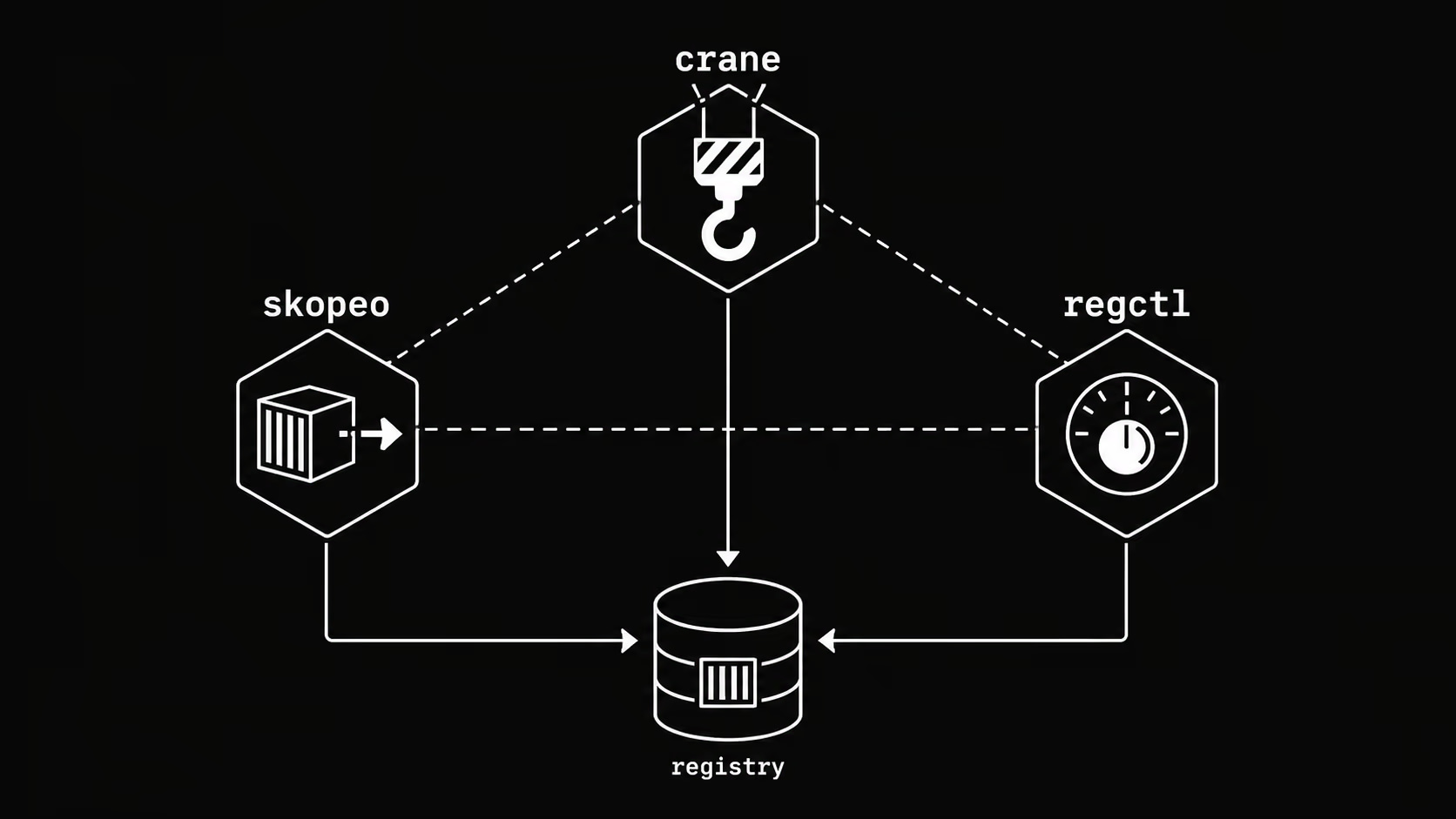
The Problem: Docker Is Overkill for Image Operations
You need to copy an image from Docker Hub to your private registry. Or inspect a manifest before pulling. Or delete old tags programmatically. Or sync an entire repository during a migration.
Related reading: Kaniko, BuildKit and Image Volumes.
The instinct is to reach for Docker. But Docker requires a running daemon, root access (or group membership that amounts to the same thing), and pulls the entire image to disk just to read its metadata. For CI pipelines, GitOps workflows, and platform tooling, that’s a significant overhead for what should be lightweight registry operations.
This is the problem that daemonless container image tools solve. Skopeo pioneered the category; today it has real competition from crane, regctl, and ORAS — each with different strengths and ideal use cases.
This article gives you the practical comparison to pick the right tool for your workflow.
The Contenders
| Tool | Maintainer | Language | Daemon required |
|---|---|---|---|
| Skopeo | Red Hat / containers | Go | No |
| crane | Google / ko-build | Go | No |
| regctl | regclient | Go | No |
| ORAS | CNCF | Go | No |
| cosign | Sigstore / OpenSSF | Go | No |
All five are Go binaries, statically compiled, and work directly against the OCI Distribution Spec. None of them require Docker or any container runtime.
Skopeo
Skopeo was the first major tool to address daemonless image operations, released by Red Hat in 2016 as part of the containers/image ecosystem (alongside Podman and Buildah).
What Skopeo does well
Image inspection without pulling:
skopeo inspect docker://registry.k8s.io/pause:3.9
Returns full image metadata — digest, layers, labels, architecture, OS — without downloading a single layer. Useful in admission controllers, policy checks, and pre-deployment validation.
Cross-registry copying:
skopeo copy
  docker://docker.io/library/nginx:1.27
  docker://harbor.internal/library/nginx:1.27
Copies image manifests and layers directly between registries, bypassing your local machine entirely. The image never touches your disk.
Multi-arch handling:
skopeo copy --all
  docker://docker.io/library/nginx:1.27
  docker://harbor.internal/library/nginx:1.27
The --all flag copies the full manifest list, preserving all architectures (linux/amd64, linux/arm64, etc.). This is critical when mirroring images for multi-arch clusters.
Registry synchronization:
skopeo sync
  --src docker
  --dest docker
  --all
  docker.io/library/nginx
  harbor.internal/mirrors/
skopeo sync mirrors an entire repository, including all tags. You can also use a YAML file to define which images and tags to sync — useful for air-gapped environment bootstrapping.
Tag deletion:
skopeo delete docker://harbor.internal/myapp:old-tag
Useful in CI for cleanup pipelines. Note that registry-side deletion requires the registry to have the DELETE method enabled.
Skopeo’s weaknesses
- No image modification: Skopeo copies and inspects, but doesn’t build or modify images
- Tag listing is verbose:
skopeo list-tagsreturns JSON you need to parse - No retry logic by default: transient network errors in long sync operations require wrapping with retry scripts
- Auth configuration: relies on
containers/auth.jsonformat, which differs from Docker’s~/.docker/config.json(though it supports both)
When to use Skopeo
- Air-gapped environment image mirroring
- CI pipelines that need to copy or inspect images without Docker
- Platform teams on Red Hat / OpenShift stacks
- Any workflow already using Podman or Buildah
Crane
Crane is Google’s answer to Skopeo, developed as part of the ko project and later extracted into its own tool. It’s simpler, more scriptable, and has a cleaner CLI design.
What Crane does well
Tag listing:
crane ls registry.k8s.io/pause
No JSON parsing needed. One tag per line. Pipe directly into grep, sort, head.
Digest resolution:
crane digest docker.io/library/nginx:1.27
Returns the image digest. Combine with yq or sed to pin image references in Helm values or Kubernetes manifests.
Image copying:
crane cp docker.io/library/nginx:1.27 harbor.internal/library/nginx:1.27
Same capability as Skopeo’s copy, arguably with a cleaner syntax.
Manifest inspection:
crane manifest docker.io/library/nginx:1.27 | jq .
Returns raw manifest JSON. Useful when you need the exact manifest for digest verification or policy enforcement.
Tagging and retagging:
crane tag harbor.internal/myapp:abc123 harbor.internal/myapp:stable
Adds a new tag to an existing image without re-uploading layers. The tag operation is purely a manifest pointer update.
Flattening images:
crane flatten docker.io/library/ubuntu:24.04 -t harbor.internal/ubuntu:flat
Squashes all layers into one. Reduces layer count for images where layer history doesn’t matter.
Crane’s weaknesses
- No sync command: unlike Skopeo, crane has no built-in repository sync. You script it yourself with
crane ls+crane cpin a loop - Less mature multi-arch support:
crane cpsupports multi-arch but the UX is less explicit than Skopeo’s--all - No delete command: doesn’t implement registry deletion
When to use Crane
- CI/CD scripting where you want clean, pipeable output
- Digest pinning workflows
- Lightweight image tagging operations
- When you’re already in the ko / Google Cloud ecosystem
regctl
Regctl is the least known of the three but arguably the most feature-complete. It’s the CLI for the regclient Go library and covers use cases that Skopeo and crane leave out.
What regctl does uniquely well
Image modification without rebuild:
regctl image mod myimage:tag
  --label "org.opencontainers.image.version=1.2.3"
  --replace
You can add/change labels, annotations, and config fields directly on an existing image in the registry — without pulling, rebuilding, or pushing a new image. This is impossible with Skopeo or crane.
Layer operations:
# Remove a specific layer from an image
regctl image mod myimage:tag
  --layer-rm sha256:abc123...
  --replace
Useful for removing accidentally included secrets or large unnecessary layers from published images.
OCI artifact support:
regctl artifact put
  --media-type application/vnd.example.config.v1+json
  --config config.json
  file.tar.gz
  harbor.internal/myartifacts:v1
Regctl has solid OCI artifact support alongside standard image operations.
Formatting and output:
regctl tag list harbor.internal/myapp --format '{{range .}}{{println .}}{{end}}'
Go template formatting throughout. Useful for integrating into shell scripts without jq.
Referrers (OCI 1.1):
regctl manifest get-list harbor.internal/myapp:v1 --referrers
Lists referrers (signatures, SBOMs, attestations) attached to an image via the OCI 1.1 referrers API.
Regctl’s weaknesses
- Smaller community: fewer examples, less StackOverflow coverage
- Steeper learning curve: more commands, more flags
- Less packaging: not in most distro repos by default
When to use regctl
- Image post-processing (labels, annotations, layer removal) without rebuild
- Advanced manifest and referrer workflows
- When you need OCI artifact operations alongside image operations
ORAS
ORAS (OCI Registry As Storage) is a CNCF project focused specifically on OCI artifact management — pushing and pulling arbitrary files to container registries, not necessarily container images.
# Push a Helm chart as an OCI artifact
oras push harbor.internal/charts/myapp:1.0.0
  --artifact-type application/vnd.helm.chart.v1+tar
  mychart.tgz

# Push SBOM
oras push harbor.internal/myapp:v1
  --artifact-type application/spdx+json
  sbom.spdx.json

# Pull
oras pull harbor.internal/charts/myapp:1.0.0
ORAS is not a direct Skopeo replacement — it’s for when your registry is a general-purpose artifact store, not just a container registry. Helm OCI, SBOMs, attestations, and policy bundles all benefit from ORAS.
cosign
Cosign from Sigstore is not a general-purpose image tool — it’s specifically for supply chain security. But it’s increasingly part of any container image workflow.
# Sign an image
cosign sign --key cosign.key harbor.internal/myapp:v1@sha256:abc123...

# Verify
cosign verify --key cosign.pub harbor.internal/myapp:v1

# Attach SBOM
cosign attach sbom --sbom sbom.spdx harbor.internal/myapp:v1

# Keyless signing (Sigstore)
cosign sign harbor.internal/myapp:v1
Cosign integrates with OIDC providers for keyless signing (no key management required), which is the direction the ecosystem is moving. If you’re building a supply chain security practice, cosign is mandatory, not optional.
Side-by-side comparison
| Operation | Skopeo | Crane | regctl |
|---|---|---|---|
| Inspect image | inspect | manifest | manifest get |
| Copy image | copy | cp | image copy |
| Copy all arches | copy --all | cp (auto) | image copy |
| Sync repository | sync | script it | script it |
| List tags | list-tags (JSON) | ls (plain) | tag list |
| Delete tag/image | delete | — | tag delete |
| Modify labels | — | — | image mod |
| Remove layer | — | — | image mod |
| OCI artifacts | limited | limited | artifact |
| Referrers (1.1) | — | — | manifest get-list |
Practical workflows
Mirror images for air-gapped clusters (Skopeo)
# sync-list.yaml
docker.io:
  images:
    library/nginx:
      - "1.25"
      - "1.26"
      - "1.27"
    library/redis:
      - "7.2"
      - "7.4"
skopeo sync
  --src yaml
  --dest docker
  --all
  sync-list.yaml
  harbor.internal/mirrors/
Pin image digests in CI (Crane)
#!/bin/bash
# Update image digests in values.yaml
for image in nginx:1.27 redis:7.4; do
  digest=$(crane digest docker.io/library/${image})
  echo "docker.io/library/${image}@${digest}"
done
Combine with yq to update Helm values files automatically, ensuring reproducible deployments.
Retag without re-pushing (Crane or regctl)
# After a successful deploy to staging, promote to production
crane tag harbor.internal/myapp:${GIT_SHA} harbor.internal/myapp:production
No layer transfer. The operation is a metadata update in the registry.
Add OCI annotations post-build (regctl)
regctl image mod harbor.internal/myapp:v1.2.3
  --annotation "org.opencontainers.image.source=https://github.com/org/repo"
  --annotation "org.opencontainers.image.revision=${GIT_SHA}"
  --replace
Attaches build metadata to an image already in the registry, without a rebuild.
Supply chain security pipeline
# 1. Build and push
docker buildx build --push -t harbor.internal/myapp:${GIT_SHA} .

# 2. Generate SBOM
syft harbor.internal/myapp:${GIT_SHA} -o spdx-json > sbom.spdx.json

# 3. Attach SBOM
cosign attach sbom --sbom sbom.spdx.json harbor.internal/myapp:${GIT_SHA}

# 4. Sign (keyless with OIDC in CI)
cosign sign harbor.internal/myapp:${GIT_SHA}

# 5. Verify in admission controller or deployment pipeline
cosign verify
  --certificate-identity-regexp="https://github.com/org/repo"
  --certificate-oidc-issuer="https://token.actions.githubusercontent.com"
  harbor.internal/myapp:${GIT_SHA}
Installation
All tools install as single static binaries:
# Skopeo (via package manager)
brew install skopeo                    # macOS
dnf install skopeo                     # RHEL/Fedora
apt install skopeo                     # Debian/Ubuntu

# Crane
brew install crane
# or binary release
curl -sL https://github.com/google/go-containerregistry/releases/latest/download/go-containerregistry_Linux_x86_64.tar.gz | tar xz crane

# regctl
curl -sL https://github.com/regclient/regclient/releases/latest/download/regctl.linux.amd64 -o /usr/local/bin/regctl
chmod +x /usr/local/bin/regctl

# ORAS
brew install oras

# cosign
brew install cosign
Which tool should you use?
Use Skopeo if: you’re on a Red Hat / OpenShift stack, you need repository sync, or you’re building air-gapped environment pipelines. It’s the most battle-tested and widely packaged.
Use Crane if: you’re scripting image operations in CI and want clean, composable CLI output. crane ls + crane cp + crane digest cover 80% of automation use cases with minimal friction.
Use regctl if: you need to modify images post-build, work with OCI referrers, or want the most complete feature set for a registry client. It has a higher learning curve but can replace both Skopeo and crane for advanced workflows.
Use ORAS if: you’re using a registry to store non-image artifacts — Helm charts, SBOMs, policy bundles, ML models.
Use cosign regardless of which of the above you pick, as soon as supply chain security matters to your organization. It’s not a replacement for the others — it’s a complement.
In practice, most platform teams end up using 2-3 of these tools together. Crane for day-to-day scripting, Skopeo for sync jobs, cosign for signing, ORAS for artifact storage.
FAQ
Can I use these tools with private registries?
Yes. All support standard registry authentication. Crane and Skopeo both read from ~/.docker/config.json. Regctl has its own config file (~/.regctl/config.json) but can import Docker credentials. Set DOCKER_CONFIG to point to your credentials file in CI environments.
Do these work with Docker Hub rate limits?
Yes, and they’re often more efficient than the Docker CLI because they only fetch manifest metadata for inspect operations, not full layers. For heavy pull workloads, authenticate with your Docker Hub credentials to get higher rate limits.
What about ECR, GCR, and Azure Container Registry?
All tools support these with the appropriate credential helpers. For ECR, use docker-credential-ecr-login. Crane has native ECR support via the --platform flag and crane auth commands. Skopeo supports ECR via --creds "AWS:$(aws ecr get-login-password)".
Are these tools safe to run in Kubernetes pods?
Yes. Since they require no daemon and no elevated privileges for read operations, they’re well-suited to run as init containers or sidecar containers in Kubernetes. Skopeo is commonly used in image pre-pulling init containers. Use a dedicated service account with least-privilege registry credentials.
Can I copy a multi-arch image and keep all platforms?
Skopeo: skopeo copy --all. Crane: crane cp copies the index automatically when the source is a manifest list. Regctl: regctl image copy preserves manifest lists by default.