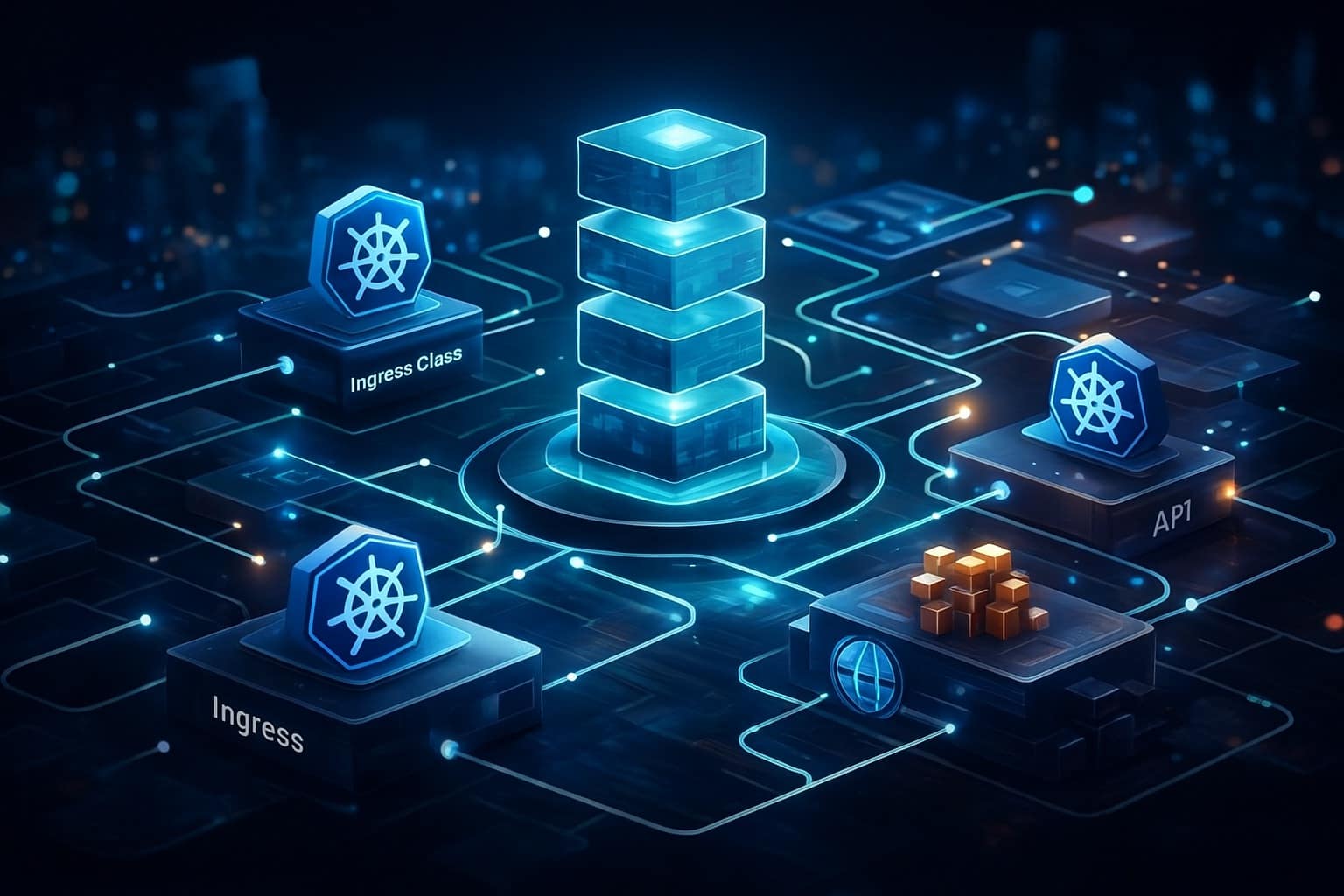
The recent announcement regarding the deprecation of the Ingress-NGINX controller sent a ripple through the Kubernetes community. For many organizations, it’s the first major deprecation of a foundational, widely-adopted ecosystem component. While the immediate reaction is often tactical—”What do we replace it with?”—the more valuable long-term question is strategic: “How do we systematically manage this and future migrations?”
This event isn’t an anomaly; it’s a precedent. As Kubernetes matures, core add-ons, APIs, and patterns will evolve or sunset. Platform engineering teams need a repeatable, low-risk framework for navigating these changes. Drawing from the Ingress-NGINX transition and established deployment management principles, we can abstract a robust Kubernetes Migration Framework applicable to any major component, from service meshes to CSI drivers.
Why Ad-Hoc Migrations Fail in Production
Attempting a “big bang” replacement or a series of manual, one-off changes is a recipe for extended downtime, configuration drift, and undetected regression. Production Kubernetes environments are complex systems with deep dependencies:
Interdependent Workloads: Multiple applications often share the same ingress controller, relying on specific annotations, custom snippets, or behavioral quirks.
Automation and GitOps Dependencies: Helm charts, Kustomize overlays, and ArgoCD/Flux manifests are tightly coupled to the existing component’s API and schema.
Observability and Security Integration: Monitoring dashboards, logging parsers, and security policies are tuned for the current implementation.
Knowledge Silos: Tribal knowledge about workarounds and specific configurations isn’t documented.
A structured framework mitigates these risks by enforcing discipline, creating clear validation gates, and ensuring the capability to roll back at any point.
The Four-Phase Kubernetes Migration Framework
This framework decomposes the migration into four distinct phases: Assessment, Parallel Run, Cutover, and Decommission. Each phase has defined inputs, activities, and exit criteria.
Phase 1: Deep Assessment & Dependency Mapping
Before writing a single line of new configuration, understand the full scope. The goal is to move from “we use Ingress-NGINX” to a precise inventory of how it’s used.
Inventory All Ingress Resources: Use kubectl get ingress --all-namespaces as a starting point, but go deeper.
Analyze Annotation Usage: Script an analysis to catalog every annotation in use (e.g., nginx.ingress.kubernetes.io/rewrite-target, nginx.ingress.kubernetes.io/configuration-snippet). This reveals functional dependencies.
Map to Backend Services: For each Ingress, identify the backend Services and Namespaces. This highlights critical applications and potential blast radius.
Review Customizations: Document any custom ConfigMaps for main NGINX configuration, custom template patches, or modifications to the controller deployment itself.
Evaluate Alternatives: Based on the inventory, evaluate candidate replacements (e.g., Gateway API with a compatible implementation, another Ingress controller like Emissary-ingress or Traefik). The Google Cloud migration framework provides a useful decision tree for ingress-specific migrations.
The output of this phase is a migration manifesto: a concrete list of what needs to be converted, grouped by complexity and criticality.
Phase 2: Phased Rollout & Parallel Run
This is the core of a low-risk migration. Instead of replacing, you run the new and old systems in parallel, shifting traffic gradually. For ingress, this often means installing the new controller alongside the old one.
Dual Installation: Deploy the new ingress controller in the same cluster, configured with a distinct ingress class (e.g., ingressClassName: gateway vs. nginx).
Create Canary Ingress Resources: For a low-risk application, create a parallel Ingress or Gateway resource pointing to the new controller. Use techniques like managed deployments with canary patterns to control exposure.
# Example: A new Gateway API HTTPRoute for a canary service
apiVersion: gateway.networking.k8s.io/v1
kind: HTTPRoute
metadata:
  name: app-canary
spec:
  parentRefs:
  - name: company-gateway
  rules:
  - backendRefs:
    - name: app-service
      port: 8080
      weight: 10 # Start with 10% of traffic
Validate Equivalency: Use traffic mirroring (if supported) or direct synthetic testing against both ingress paths. Compare logs, response headers, latency, and error rates.
Iterate and Expand: Gradually increase traffic weight or add more applications to the new stack, group by group, based on the assessment from Phase 1.
This phase relies heavily on your observability stack. Dashboards comparing error rates, latency (p50, p99), and throughput between the old and new paths are essential.
Phase 3: Validation & Automated Cutover
The cutover is not a manual event. It’s the final step in a validation process.
Define Validation Tests: Create a suite of tests that must pass before full cutover. This includes:
Smoke tests for all critical user journeys.
Load tests to verify performance under expected traffic patterns.
Security scan validation (e.g., no unintended ports open).
Compliance checks (e.g., specific headers are present).
Automate the Switch: For each application, the cutover is ultimately a change in its Ingress or Gateway resource. This should be done via your GitOps pipeline. Update the source manifests (e.g., change the ingressClassName), merge, and let automation apply it. This ensures the state is declarative and recorded.
Maintain Rollback Capacity: The old system must remain operational and routable (with reduced capacity) during this phase. The GitOps rollback is simply reverting the manifest change.
Phase 4: Observability & Decommission
Once all traffic is successfully migrated and validated over a sustained period (e.g., 72 hours), you can decommission the old component.
Monitor Aggressively: Keep a close watch on all key metrics for at least one full business cycle (a week).
Remove Old Resources: Delete the old controller’s Deployment, Service, ConfigMaps, and CRDs (if no longer needed).
Clean Up Auxiliary Artifacts: Remove old RBAC bindings, service accounts, and any custom monitoring alerts or dashboards specific to the old component.
Document Lessons Learned: Update runbooks and architecture diagrams. Note any surprises, gaps in the process, or validation tests that were particularly valuable.
Key Principles for a Resilient Framework
Beyond the phases, these principles should guide your framework’s design:
Always Maintain Rollback Capability: Every step should be reversible with minimal disruption. This is a core tenet of managing Kubernetes deployments.
Leverage GitOps for State Management: All desired state changes (Ingress resources, controller deployments) must flow through version-controlled manifests. This provides an audit trail, consistency, and the simplest rollback mechanism (git revert).
Validate with Production Traffic Patterns: Synthetic tests are insufficient. Use canary weights and traffic mirroring to validate with real user traffic in a controlled manner.
Communicate Transparently: Platform teams should maintain a clear migration status page for internal stakeholders, showing which applications have been migrated, which are in progress, and the overall timeline.
Conclusion: Building a Migration-Capable Platform
The deprecation of Ingress-NGINX is a wake-up call. The next major change is a matter of “when,” not “if.” By investing in a structured migration framework now, platform teams transform a potential crisis into a manageable, repeatable operational procedure.
This framework—Assess, Run in Parallel, Validate, and Decommission—abstracts the specific lessons from the ingress migration into a generic pattern. It can be applied to migrating from PodSecurityPolicies to Pod Security Standards, from a deprecated CSI driver, or from one service mesh to another. The tools (GitOps, canary deployments, observability) are already in your stack. The value is in stitching them together into a disciplined process that ensures platform evolution doesn’t compromise platform stability.
Start by documenting this framework as a runbook template. Then, apply it to your next significant component update, even a minor one, to refine the process. When the next major deprecation announcement lands in your inbox, you’ll be ready.
If you’ve been running Kubernetes clusters for any meaningful amount of time, you’ve likely encountered a familiar problem: orphaned ConfigMaps and Secrets piling up in your namespaces. These abandoned resources don’t just clutter your cluster—they introduce security risks, complicate troubleshooting, and can even impact cluster performance as your resource count grows.
The reality is that Kubernetes doesn’t automatically clean up ConfigMaps and Secrets when the workloads that reference them are deleted. This gap in Kubernetes’ native garbage collection creates a housekeeping problem that every production cluster eventually faces. In this article, we’ll explore why orphaned resources happen, how to detect them, and most importantly, how to implement sustainable cleanup strategies that prevent them from accumulating in the first place.
Understanding the Orphaned Resource Problem
What Are Orphaned ConfigMaps and Secrets?
Orphaned ConfigMaps and Secrets are configuration resources that no longer have any active references from Pods, Deployments, StatefulSets, or other workload resources in your cluster. They typically become orphaned when:
Applications are updated and new ConfigMaps are created while old ones remain
Deployments are deleted but their associated configuration resources aren’t
Development and testing workflows create temporary resources that never get cleaned up
CI/CD pipelines generate unique ConfigMap names (often with hash suffixes) on each deployment
Why This Matters for Production Clusters
While a few orphaned ConfigMaps might seem harmless, the problem compounds over time and introduces real operational challenges:
Security Risks: Orphaned Secrets can contain outdated credentials, API keys, or certificates that should no longer be accessible. If these aren’t removed, they remain attack vectors for unauthorized access—especially problematic if RBAC policies grant broad read access to Secrets within a namespace.
Cluster Bloat: Kubernetes stores these resources in etcd, your cluster’s backing store. As the number of orphaned resources grows, etcd size increases, potentially impacting cluster performance and backup times. In extreme cases, this can contribute to etcd performance degradation or even hit storage quotas.
Operational Complexity: When troubleshooting issues or reviewing configurations, sifting through dozens of unused ConfigMaps makes it harder to identify which resources are actually in use. This “configuration noise” slows down incident response and increases cognitive load for your team.
Cost Implications: While individual ConfigMaps are small, at scale they contribute to storage costs and can trigger alerts in cost monitoring systems, especially in multi-tenant environments where resource quotas matter.
Detecting Orphaned ConfigMaps and Secrets
Before you can clean up orphaned resources, you need to identify them. Let’s explore both manual detection methods and automated tooling approaches.
Manual Detection with kubectl
The simplest approach uses kubectl to cross-reference ConfigMaps and Secrets against active workload resources. Here’s a basic script to identify potentially orphaned ConfigMaps:
#!/bin/bash
# detect-orphaned-configmaps.sh
# Identifies ConfigMaps not referenced by any active Pods

NAMESPACE=${1:-default}

echo "Checking for orphaned ConfigMaps in namespace: $NAMESPACE"
echo "---"

# Get all ConfigMaps in the namespace
CONFIGMAPS=$(kubectl get configmaps -n $NAMESPACE -o jsonpath='{.items[*].metadata.name}')

for cm in $CONFIGMAPS; do
    # Skip kube-root-ca.crt as it's system-managed
    if [[ "$cm" == "kube-root-ca.crt" ]]; then
        continue
    fi

    # Check if any Pod references this ConfigMap
    REFERENCED=$(kubectl get pods -n $NAMESPACE -o json | \
        jq -r --arg cm "$cm" '.items[] |
        select(
            (.spec.volumes[]?.configMap.name == $cm) or
            (.spec.containers[].env[]?.valueFrom.configMapKeyRef.name == $cm) or
            (.spec.containers[].envFrom[]?.configMapRef.name == $cm)
        ) | .metadata.name' | head -1)

    if [[ -z "$REFERENCED" ]]; then
        echo "Orphaned: $cm"
    fi
done
A similar script for Secrets would look like this:
#!/bin/bash
# detect-orphaned-secrets.sh

NAMESPACE=${1:-default}

echo "Checking for orphaned Secrets in namespace: $NAMESPACE"
echo "---"

SECRETS=$(kubectl get secrets -n $NAMESPACE -o jsonpath='{.items[*].metadata.name}')

for secret in $SECRETS; do
    # Skip service account tokens and system secrets
    SECRET_TYPE=$(kubectl get secret $secret -n $NAMESPACE -o jsonpath='{.type}')
    if [[ "$SECRET_TYPE" == "kubernetes.io/service-account-token" ]]; then
        continue
    fi

    # Check if any Pod references this Secret
    REFERENCED=$(kubectl get pods -n $NAMESPACE -o json | \
        jq -r --arg secret "$secret" '.items[] |
        select(
            (.spec.volumes[]?.secret.secretName == $secret) or
            (.spec.containers[].env[]?.valueFrom.secretKeyRef.name == $secret) or
            (.spec.containers[].envFrom[]?.secretRef.name == $secret) or
            (.spec.imagePullSecrets[]?.name == $secret)
        ) | .metadata.name' | head -1)

    if [[ -z "$REFERENCED" ]]; then
        echo "Orphaned: $secret"
    fi
done
Important caveat: These scripts only check currently running Pods. They won’t catch ConfigMaps or Secrets referenced by Deployments, StatefulSets, or DaemonSets that might currently have zero replicas. For production use, you’ll want to check against all workload resource types.
Automated Detection with Specialized Tools
Several open-source tools have emerged to solve this problem more comprehensively:
Kor: Comprehensive Unused Resource Detection
Kor is a purpose-built tool for finding unused resources across your Kubernetes cluster. It checks not just ConfigMaps and Secrets, but also PVCs, Services, and other resource types.
# Install Kor
brew install kor

# Scan for unused ConfigMaps and Secrets
kor all --namespace production --output json

# Check specific resource types
kor configmap --namespace production
kor secret --namespace production --exclude-namespaces kube-system,kube-public
Kor works by analyzing resource relationships and identifying anything without dependent objects. It’s particularly effective because it understands Kubernetes resource hierarchies and checks against Deployments, StatefulSets, and DaemonSets—not just running Pods.
Popeye: Cluster Sanitization Reports
Popeye scans your cluster and generates reports on resource health, including orphaned resources. While broader in scope than just ConfigMap cleanup, it provides valuable context:
# Install Popeye
brew install derailed/popeye/popeye

# Scan cluster
popeye --output json --save

# Focus on specific namespace
popeye --namespace production
Custom Controllers with Kubernetes APIs
For more sophisticated detection, you can build custom controllers using client-go that continuously monitor for orphaned resources. This approach works well when integrated with your existing observability stack:
// Pseudocode example
func detectOrphanedConfigMaps(namespace string) []string {
    configMaps := listConfigMaps(namespace)
    deployments := listDeployments(namespace)
    statefulSets := listStatefulSets(namespace)
    daemonSets := listDaemonSets(namespace)

    referenced := make(map[string]bool)

    // Check all workload types for ConfigMap references
    for _, deploy := range deployments {
        for _, cm := range getReferencedConfigMaps(deploy) {
            referenced[cm] = true
        }
    }
    // ... repeat for other workload types

    orphaned := []string{}
    for _, cm := range configMaps {
        if !referenced[cm.Name] {
            orphaned = append(orphaned, cm.Name)
        }
    }

    return orphaned
}
Prevention Strategies: Stop Orphans Before They Start
The best cleanup strategy is prevention. By implementing proper resource management patterns from the beginning, you can minimize orphaned resources in the first place.
Use Owner References for Automatic Cleanup
Kubernetes provides a built-in mechanism for resource lifecycle management through owner references. When properly configured, child resources are automatically deleted when their owner is removed.
Tools like Helm and Kustomize automatically set owner references, which is one reason GitOps workflows tend to have fewer orphaned resources than imperative deployment approaches.
Implement Consistent Labeling Standards
Labels make it much easier to identify resource relationships and track ownership:
With consistent labeling, you can easily query for ConfigMaps associated with specific applications:
# Find all ConfigMaps for a specific app
kubectl get configmaps -l app=api-gateway

# Clean up old versions
kubectl delete configmaps -l app=api-gateway,version=v1
Adopt GitOps Practices
GitOps tools like ArgoCD and Flux excel at preventing orphaned resources because they maintain a clear desired state:
Declarative management: All resources are defined in Git
Automatic pruning: Tools can detect and remove resources not defined in Git
Audit trail: Git history shows when and why resources were created or deleted
ArgoCD’s sync policies can automatically prune resources:
apiVersion: argoproj.io/v1alpha1
kind: Application
metadata:
  name: myapp
spec:
  syncPolicy:
    automated:
      prune: true  # Remove resources not in Git
      selfHeal: true
Use Kustomize ConfigMap Generators with Hashes
Kustomize’s ConfigMap generator feature appends content hashes to ConfigMap names, ensuring that configuration changes trigger new ConfigMaps:
# kustomization.yaml
configMapGenerator:
  - name: app-config
    files:
      - config.properties
generatorOptions:
  disableNameSuffixHash: false  # Include hash in name
This creates ConfigMaps like app-config-dk9g72hk5f. When you update the configuration, Kustomize creates a new ConfigMap with a different hash. Combined with Kustomize’s --prune flag, old ConfigMaps are automatically removed:
When teams hit quota limits, they’re incentivized to audit and remove unused resources.
Cleanup Strategies for Existing Orphaned Resources
For clusters that already have accumulated orphaned ConfigMaps and Secrets, here are practical cleanup approaches.
One-Time Manual Cleanup
For immediate cleanup, combine detection scripts with kubectl delete:
# Dry run first - review what would be deleted
./detect-orphaned-configmaps.sh production > orphaned-cms.txt
cat orphaned-cms.txt

# Manual review and cleanup
for cm in $(cat orphaned-cms.txt | grep "Orphaned:" | awk '{print $2}'); do
    kubectl delete configmap $cm -n production
done
Critical warning: Always do a dry run and manual review first. Some ConfigMaps might be referenced by workloads that aren’t currently running but will scale up later (HPA scaled to zero, CronJobs, etc.).
Scheduled Cleanup with CronJobs
For ongoing maintenance, deploy a Kubernetes CronJob that runs cleanup scripts periodically:
apiVersion: batch/v1
kind: CronJob
metadata:
  name: configmap-cleanup
  namespace: kube-system
spec:
  schedule: "0 2 * * 0"  # Weekly at 2 AM Sunday
  successfulJobsHistoryLimit: 3
  failedJobsHistoryLimit: 3
  jobTemplate:
    spec:
      template:
        spec:
          serviceAccountName: cleanup-sa
          containers:
          - name: cleanup
            image: bitnami/kubectl:latest
            command:
            - /bin/bash
            - -c
            - |
              # Cleanup script here
              echo "Starting ConfigMap cleanup..."

              for ns in $(kubectl get ns -o jsonpath='{.items[*].metadata.name}'); do
                echo "Checking namespace: $ns"

                # Get all workload-referenced ConfigMaps
                REFERENCED_CMS=$(kubectl get deploy,sts,ds -n $ns -o json | \
                  jq -r '.items[].spec.template.spec |
                  [.volumes[]?.configMap.name,
                   .containers[].env[]?.valueFrom.configMapKeyRef.name,
                   .containers[].envFrom[]?.configMapRef.name] |
                  .[] | select(. != null)' | sort -u)

                ALL_CMS=$(kubectl get cm -n $ns -o jsonpath='{.items[*].metadata.name}')

                for cm in $ALL_CMS; do
                  if [[ "$cm" == "kube-root-ca.crt" ]]; then
                    continue
                  fi

                  if ! echo "$REFERENCED_CMS" | grep -q "^$cm$"; then
                    echo "Deleting orphaned ConfigMap: $cm in namespace: $ns"
                    kubectl delete cm $cm -n $ns
                  fi
                done
              done
          restartPolicy: OnFailure
---
apiVersion: v1
kind: ServiceAccount
metadata:
  name: cleanup-sa
  namespace: kube-system
---
apiVersion: rbac.authorization.k8s.io/v1
kind: ClusterRole
metadata:
  name: cleanup-role
rules:
- apiGroups: [""]
  resources: ["configmaps", "secrets", "namespaces"]
  verbs: ["get", "list", "delete"]
- apiGroups: ["apps"]
  resources: ["deployments", "statefulsets", "daemonsets"]
  verbs: ["get", "list"]
---
apiVersion: rbac.authorization.k8s.io/v1
kind: ClusterRoleBinding
metadata:
  name: cleanup-binding
subjects:
- kind: ServiceAccount
  name: cleanup-sa
  namespace: kube-system
roleRef:
  kind: ClusterRole
  name: cleanup-role
  apiGroup: rbac.authorization.k8s.io
Security consideration: This CronJob needs cluster-wide permissions to read workloads and delete ConfigMaps. Review and adjust the RBAC permissions based on your security requirements. Consider limiting to specific namespaces if you don’t need cluster-wide cleanup.
Integration with CI/CD Pipelines
Build cleanup into your deployment workflows. Here’s an example GitLab CI job:
cleanup_old_configs:
  stage: post-deploy
  image: bitnami/kubectl:latest
  script:
    - |
      # Delete ConfigMaps with old version labels after successful deployment
      kubectl delete configmap -n production \
        -l app=myapp,version!=v${CI_COMMIT_TAG}

    - |
      # Keep only the last 3 ConfigMap versions by timestamp
      kubectl get configmap -n production \
        -l app=myapp \
        --sort-by=.metadata.creationTimestamp \
        -o name | head -n -3 | xargs -r kubectl delete -n production
  only:
    - tags
  when: on_success
Safe Deletion Practices
When cleaning up ConfigMaps and Secrets, follow these safety guidelines:
Dry run first: Always review what will be deleted before executing
Backup before deletion: Export resources to YAML files before removing them
Check age: Only delete resources older than a certain threshold (e.g., 30 days)
Exclude system resources: Skip kube-system, kube-public, and other system namespaces
Monitor for impact: Watch application metrics after cleanup to ensure nothing broke
Example backup and conditional deletion:
# Backup before deletion
kubectl get configmap -n production -o yaml > cm-backup-$(date +%Y%m%d).yaml

# Only delete ConfigMaps older than 30 days
kubectl get configmap -n production -o json | \
  jq -r --arg date "$(date -d '30 days ago' -u +%Y-%m-%dT%H:%M:%SZ)" \
  '.items[] | select(.metadata.creationTimestamp < $date) | .metadata.name' | \
  while read cm; do
    echo "Would delete: $cm (created: $(kubectl get cm $cm -n production -o jsonpath='{.metadata.creationTimestamp}'))"
    # Uncomment to actually delete:
    # kubectl delete configmap $cm -n production
  done
Advanced Patterns for Large-Scale Clusters
For organizations running multiple clusters or large multi-tenant platforms, housekeeping requires more sophisticated approaches.
Policy-Based Cleanup with OPA Gatekeeper
Use OPA Gatekeeper to enforce ConfigMap lifecycle policies at admission time:
apiVersion: templates.gatekeeper.sh/v1beta1
kind: ConstraintTemplate
metadata:
  name: configmaprequiredlabels
spec:
  crd:
    spec:
      names:
        kind: ConfigMapRequiredLabels
  targets:
    - target: admission.k8s.gatekeeper.sh
      rego: |
        package configmaprequiredlabels

        violation[{"msg": msg}] {
          input.review.kind.kind == "ConfigMap"
          not input.review.object.metadata.labels["app"]
          msg := "ConfigMaps must have an 'app' label for lifecycle tracking"
        }

        violation[{"msg": msg}] {
          input.review.kind.kind == "ConfigMap"
          not input.review.object.metadata.labels["owner"]
          msg := "ConfigMaps must have an 'owner' label for lifecycle tracking"
        }
This policy prevents ConfigMaps without proper labels from being created, making future tracking and cleanup much easier.
Centralized Monitoring with Prometheus
Monitor orphaned resource metrics across your clusters:
apiVersion: v1
kind: ConfigMap
metadata:
  name: orphan-detection-exporter
data:
  script.sh: |
    #!/bin/bash
    # Expose metrics for Prometheus scraping
    while true; do
      echo "# HELP k8s_orphaned_configmaps Number of orphaned ConfigMaps"
      echo "# TYPE k8s_orphaned_configmaps gauge"

      for ns in $(kubectl get ns -o jsonpath='{.items[*].metadata.name}'); do
        count=$(./detect-orphaned-configmaps.sh $ns | grep -c "Orphaned:")
        echo "k8s_orphaned_configmaps{namespace=\"$ns\"} $count"
      done

      sleep 300  # Update every 5 minutes
    done
Create alerts when orphaned resource counts exceed thresholds:
groups:
- name: kubernetes-housekeeping
  rules:
  - alert: HighOrphanedConfigMapCount
    expr: k8s_orphaned_configmaps > 20
    for: 24h
    labels:
      severity: warning
    annotations:
      summary: "High number of orphaned ConfigMaps in {{ $labels.namespace }}"
      description: "Namespace {{ $labels.namespace }} has {{ $value }} orphaned ConfigMaps"
Multi-Cluster Cleanup with Crossplane or Cluster API
For platform teams managing dozens or hundreds of clusters, extend cleanup automation across your entire fleet:
Here’s a practical checklist to implement sustainable ConfigMap and Secret housekeeping:
Immediate Actions:
[ ] Run detection scripts to audit current orphaned resource count
[ ] Backup all ConfigMaps and Secrets before any cleanup
[ ] Manually review and delete obvious orphans (with team approval)
[ ] Document which ConfigMaps/Secrets are intentionally unused but needed
Short-term (1-4 weeks):
[ ] Implement consistent labeling standards across teams
[ ] Add owner references to all ConfigMaps and Secrets
[ ] Deploy scheduled CronJob for automated detection and reporting
[ ] Integrate cleanup steps into CI/CD pipelines
Long-term (1-3 months):
[ ] Adopt GitOps tooling (ArgoCD, Flux) with automated pruning
[ ] Implement OPA Gatekeeper policies for required labels
[ ] Set up Prometheus monitoring for orphaned resource metrics
[ ] Create runbooks for incident responders
[ ] Establish resource quotas per namespace
[ ] Conduct quarterly cluster hygiene reviews
Ongoing Practices:
[ ] Review orphaned resource reports weekly
[ ] Include cleanup tasks in sprint planning
[ ] Train new team members on resource lifecycle best practices
[ ] Update cleanup automation as cluster architecture evolves
Conclusion
Kubernetes doesn’t automatically clean up orphaned ConfigMaps and Secrets, but with the right strategies, you can prevent them from becoming a problem. The key is implementing a layered approach: use owner references and GitOps for prevention, deploy automated detection for ongoing monitoring, and run scheduled cleanup jobs for maintenance.
Start with detection to understand your current situation, then focus on prevention strategies like owner references and consistent labeling. For existing clusters with accumulated orphaned resources, implement gradual cleanup with proper safety checks rather than aggressive bulk deletion.
Remember that housekeeping isn’t a one-time task—it’s an ongoing operational practice. By building cleanup into your CI/CD pipelines and establishing clear resource ownership, you’ll maintain a clean, secure, and performant Kubernetes environment over time.
The tools and patterns we’ve covered here—from simple bash scripts to sophisticated policy engines—can be adapted to your organization’s scale and maturity level. Whether you’re managing a single cluster or a multi-cluster platform, investing in proper resource lifecycle management pays dividends in operational efficiency, security posture, and team productivity.
Frequently Asked Questions (FAQ)
Can Kubernetes automatically delete unused ConfigMaps and Secrets?
No. Kubernetes does not garbage-collect ConfigMaps or Secrets by default when workloads are deleted. Unless they have ownerReferences set, these resources remain in the cluster indefinitely and must be cleaned up manually or via automation.
Is it safe to delete ConfigMaps or Secrets that are not referenced by running Pods?
Not always. Some resources may be referenced by workloads scaled to zero, CronJobs, or future rollouts. Always perform a dry run, check workload definitions (Deployments, StatefulSets, DaemonSets), and review resource age before deletion.
What is the safest way to prevent orphaned ConfigMaps and Secrets?
The most effective prevention strategies are: Using ownerReferences (via Helm or Kustomize) Adopting GitOps with pruning enabled (ArgoCD / Flux) Applying consistent labeling (app, owner, version) These ensure unused resources are automatically detected and removed
Which tools are best for detecting orphaned resources?
Popular and reliable tools include: Kor – purpose-built for detecting unused Kubernetes resources Popeye – broader cluster hygiene and sanitization reports Custom scripts/controllers – useful for tailored environments or integrations For production clusters, Kor provides the best signal-to-noise ratio.
How often should ConfigMap and Secret cleanup run in production?
A common best practice is: Weekly detection (reporting only) Monthly cleanup for resources older than a defined threshold (e.g. 30–60 days) Immediate cleanup integrated into CI/CD after successful deployments This balances safety with long-term cluster hygiene.
The Kubernetes Gateway API has rapidly evolved from its experimental roots to become the standard for ingress and service mesh traffic management. But with multiple versions released and various maturity levels, understanding which version to use, how it relates to your Kubernetes cluster, and when to upgrade can be challenging.
In this comprehensive guide, we’ll explore the different Gateway API versions, their relationship to Kubernetes releases, provider support levels, and the upgrade philosophy that will help you make informed decisions for your infrastructure.
Understanding Gateway API Versioning
The Gateway API follows a unique versioning model that differs from standard Kubernetes APIs. Unlike built-in Kubernetes resources that are tied to specific cluster versions, Gateway API CRDs can be installed independently as long as your cluster meets the minimum requirements.
Minimum Kubernetes Version Requirements
As of Gateway API v1.1 and later versions, you need Kubernetes 1.26 or later to run the latest Gateway API releases. The API commits to supporting a minimum of the most recent 5 Kubernetes minor versions, providing a reasonable window for cluster upgrades.
This rolling support window means that if you’re running Kubernetes 1.26, 1.27, 1.28, 1.29, or 1.30, you can safely install and use the latest Gateway API without concerns about compatibility.
Release Channels: Standard vs Experimental
Gateway API uses two distinct release channels to balance stability with innovation. Understanding these channels is critical for choosing the right version for your use case.
Standard Channel
The Standard channel contains only GA (Generally Available, v1) and Beta (v1beta1) level resources and fields. When you install from the Standard channel, you get:
Stability guarantees: No breaking changes once a resource reaches Beta or GA
Backwards compatibility: Safe to upgrade between minor versions
Production readiness: Extensively tested features with multiple implementations
Conformance coverage: Full test coverage ensuring portability
Resources in the Standard channel include GatewayClass, Gateway, HTTPRoute, and ReferenceGrant at the v1 level, plus stable features like GRPCRoute.
Experimental Channel
The Experimental channel includes everything from the Standard channel plus Alpha-level resources and experimental fields. This channel is for:
Early feature testing: Try new capabilities before they stabilize
Cutting-edge functionality: Access the latest Gateway API innovations
No stability guarantees: Breaking changes can occur between releases
Feature feedback: Help shape the API by testing experimental features
Features may graduate from Experimental to Standard or be dropped entirely based on implementation experience and community feedback.
Gateway API Version History and Features
Let’s explore the major Gateway API releases and what each introduced.
v1.0 (October 2023)
The v1.0 release marked a significant milestone, graduating core resources to GA status. This release included:
Gateway, GatewayClass, and HTTPRoute at v1 (stable)
Full backwards compatibility guarantees for v1 resources
Production-ready status for ingress traffic management
Multiple conformant implementations across vendors
v1.1 (May 2024)
Version 1.1 expanded the API significantly with service mesh support:
GRPCRoute: Native support for gRPC traffic routing
Service mesh capabilities: East-west traffic management alongside north-south
Multiple implementations: Both Istio and other service meshes achieved conformance
Enhanced features: Additional matching criteria and routing capabilities
This version bridged the gap between traditional ingress controllers and full service mesh implementations.
v1.2 and v1.3
These intermediate releases introduced structured release cycles and additional features:
Refined conformance testing
BackendTLSPolicy (experimental in v1.3)
Enhanced observability and debugging capabilities
Improved cross-namespace routing
v1.4 (October 2025)
The latest GA release as of this writing, v1.4.0 brought:
Continued API refinement
Additional experimental features for community testing
Enhanced conformance profiles
Improved documentation and migration guides
Kubernetes Version Compatibility Matrix
Here’s how Gateway API versions relate to Kubernetes releases:
Gateway API Version
Minimum Kubernetes
Recommended Kubernetes
Release Date
v1.0.x
1.25
1.26+
October 2023
v1.1.x
1.26
1.27+
May 2024
v1.2.x
1.26
1.28+
2024
v1.3.x
1.26
1.29+
2024
v1.4.x
1.26
1.30+
October 2025
The key takeaway: Gateway API v1.1 and later all support Kubernetes 1.26+, meaning you can run the latest Gateway API on any reasonably modern cluster.
Gateway Provider Support Levels
Different Gateway API implementations support various versions and feature sets. Understanding provider support helps you choose the right implementation for your needs.
Conformance Levels
Gateway API defines three conformance levels for features:
Core: Features that must be supported for an implementation to claim conformance. These are portable across all implementations.
Extended: Standardized optional features. Implementations indicate Extended support separately from Core.
Implementation-specific: Vendor-specific features without conformance requirements.
Major Provider Support
Istio
Istio reached Gateway API GA support in version 1.22 (May 2024). Istio provides:
Full Standard channel support (v1 resources)
Service mesh (east-west) traffic management via GAMMA
Ingress (north-south) traffic control
Experimental support for BackendTLSPolicy (Istio 1.26+)
Istio is particularly strong for organizations needing both ingress and service mesh capabilities in a single solution.
Envoy Gateway
Envoy Gateway tracks Gateway API releases closely. Version 1.4.0 includes:
Gateway API v1.3.0 support
Compatibility matrix for Envoy Proxy versions
Focus on ingress use cases
Strong experimental feature adoption
Check the Envoy Gateway compatibility matrix to ensure your Envoy Proxy version aligns with your Gateway API and Kubernetes versions.
Cilium
Cilium integrates Gateway API deeply with its CNI implementation:
Per-node Envoy proxy architecture
Network policy enforcement for Gateway traffic
Both ingress and service mesh support
eBPF-based packet processing
Cilium’s unique architecture makes it a strong choice for organizations already using Cilium for networking.
Contour
Contour v1.31.0 implements Gateway API v1.2.1, supporting:
All Standard channel v1 resources
Most v1alpha2 resources (TLSRoute, TCPRoute, GRPCRoute)
BackendTLSPolicy support
Checking Provider Conformance
To verify which Gateway API version and features your provider supports:
Visit the official implementations page: The Gateway API project maintains a comprehensive list of implementations with their conformance levels.
Check provider documentation: Most providers publish compatibility matrices showing Gateway API, Kubernetes, and proxy version relationships.
Review conformance reports: Providers submit conformance test results that detail exactly which Core and Extended features they support.
Test in non-production: Before upgrading production, validate your specific use cases in a staging environment.
Upgrade Philosophy: When and How to Upgrade
One of the most common questions about Gateway API is: “Do I need to run the latest version?” The answer depends on your specific needs and risk tolerance.
Staying on Older Versions
You don’t need to always run the latest Gateway API version. It’s perfectly acceptable to:
Stay on an older stable release if it meets your needs
Upgrade only when you need specific new features
Wait for your Gateway provider to officially support newer versions
Maintain stability over having the latest features
The Standard channel’s backwards compatibility guarantees mean that when you do upgrade, your existing configurations will continue to work.
When to Consider Upgrading
Consider upgrading when:
You need a specific feature: A new HTTPRoute matcher, GRPCRoute support, or other functionality only available in newer versions
Your provider recommends it: Gateway providers often optimize for specific Gateway API versions
Security considerations: While rare, security issues could prompt upgrades
Kubernetes cluster upgrades: When upgrading Kubernetes, verify your Gateway API version is compatible with the new cluster version
Safe Upgrade Practices
Follow these best practices for Gateway API upgrades:
1. Stick with Standard Channel
Using Standard channel CRDs makes upgrades simpler and safer. Experimental features can introduce breaking changes, while Standard features maintain compatibility.
2. Upgrade One Minor Version at a Time
While it’s usually safe to skip versions, the most tested upgrade path is incremental. Going from v1.2 to v1.3 to v1.4 is safer than jumping directly from v1.2 to v1.4.
3. Test Before Upgrading
Always test upgrades in non-production environments:
# Install specific Gateway API version in test cluster
kubectl apply -f https://github.com/kubernetes-sigs/gateway-api/releases/download/v1.4.0/standard-install.yaml
4. Review Release Notes
Each Gateway API release publishes comprehensive release notes detailing:
New features and capabilities
Graduation of experimental features to standard
Deprecation notices
Upgrade considerations
5. Check Provider Compatibility
Before upgrading Gateway API CRDs, verify your Gateway provider supports the target version. Installing Gateway API v1.4 won’t help if your controller only supports v1.2.
6. Never Overwrite Different Channels
Implementations should never overwrite Gateway API CRDs that use a different release channel. Keep track of whether you’re using Standard or Experimental channel installations.
CRD Management Best Practices
Gateway API CRD management requires attention to detail:
# Check currently installed Gateway API version
kubectl get crd gateways.gateway.networking.k8s.io -o yaml | grep 'gateway.networking.k8s.io/bundle-version'

# Verify which channel is installed
kubectl get crd gateways.gateway.networking.k8s.io -o yaml | grep 'gateway.networking.k8s.io/channel'
Staying Informed About New Releases
Gateway API releases follow a structured release cycle with clear communication channels.
How to Know When New Versions Are Released
GitHub Releases Page: Watch the kubernetes-sigs/gateway-api repository for release announcements
Kubernetes Blog: Major Gateway API releases are announced on the official Kubernetes blog
Mailing Lists and Slack: Join the Gateway API community channels for discussions and announcements
Provider Announcements: Gateway providers announce support for new Gateway API versions through their own channels
Release Cadence
Gateway API follows a quarterly release schedule for minor versions, with patch releases as needed for bug fixes and security issues. This predictable cadence helps teams plan upgrades.
Practical Decision Framework
Here’s a framework to help you decide which Gateway API version to run:
For New Deployments
Production workloads: Use the latest GA version supported by your provider
Innovation-focused: Consider Experimental channel if you need cutting-edge features
Conservative approach: Use v1.1 or later with Standard channel
For Existing Deployments
If things are working: Stay on your current version until you need new features
If provider recommends upgrade: Follow provider guidance, especially for security
If Kubernetes upgrade planned: Verify compatibility, may need to upgrade Gateway API first or simultaneously
Feature-Driven Upgrades
Need service mesh support: Upgrade to v1.1 minimum
Need GRPCRoute: Upgrade to v1.1 minimum
Need BackendTLSPolicy: Requires v1.3+ and provider support for experimental features
Conclusion
Kubernetes Gateway API represents the future of traffic management in Kubernetes, offering a standardized, extensible, and role-oriented API for both ingress and service mesh use cases. Understanding the versioning model, compatibility requirements, and upgrade philosophy empowers you to make informed decisions that balance innovation with stability.
Key takeaways:
Gateway API versions install independently from Kubernetes, requiring only version 1.26 or later for recent releases
Standard channel provides stability, Experimental channel provides early access to new features
You don’t need to always run the latest version—upgrade when you need specific features
Verify provider support before upgrading Gateway API CRDs
By following these guidelines, you can confidently deploy and maintain Gateway API in your Kubernetes infrastructure while making upgrade decisions that align with your organization’s needs and risk tolerance.
Frequently Asked Questions
What is the difference between Kubernetes Ingress and the Gateway API?
Kubernetes Ingress is a legacy API focused mainly on HTTP(S) traffic with limited extensibility. The Gateway API is its successor, offering a more expressive, role-oriented model that supports multiple protocols, advanced routing, better separation of concerns, and consistent behavior across implementations
Which Gateway API version should I use in production today?
For most production environments, you should use the latest GA (v1.x) release supported by your Gateway provider, installed from the Standard channel. This ensures stability, backwards compatibility, and conformance guarantees while still benefiting from ongoing improvements.
Can I upgrade the Gateway API without upgrading my Kubernetes cluster?
Yes. Gateway API CRDs are installed independently of Kubernetes itself. As long as your cluster meets the minimum supported Kubernetes version (1.26+ for recent releases), you can upgrade the Gateway API without upgrading the cluster.
What happens if my Gateway provider does not support the latest Gateway API version?
If your provider lags behind, you should stay on the latest version officially supported by that provider. Installing newer Gateway API CRDs than your controller supports can lead to missing features or undefined behavior. Provider compatibility should always take precedence over running the newest API version.
Is it safe to upgrade Gateway API CRDs without downtime?
In most cases, yes—when using the Standard channel. The Gateway API provides strong backwards compatibility guarantees for GA and Beta resources. However, you should always test upgrades in a non-production environment and verify that your Gateway provider supports the target version.
The Kubernetes Dashboard, once a staple tool for cluster visualization and management, has been officially archived and is no longer maintained. For many teams who relied on its straightforward web interface to monitor pods, deployments, and services, this retirement marks the end of an era. But it also signals something important: the Kubernetes ecosystem has evolved far beyond what the original dashboard was designed to handle.
Today’s Kubernetes environments are multi-cluster by default, driven by GitOps principles, guarded by strict RBAC policies, and operated by platform teams serving dozens or hundreds of developers. The operating model has simply outgrown the traditional dashboard’s capabilities.
So what comes next? If you’ve been using Kubernetes Dashboard and need to migrate to something more capable, or if you’re simply curious about modern alternatives, this guide will walk you through the best options available in 2026.
Why Kubernetes Dashboard Was Retired
The Kubernetes Dashboard served its purpose well in the early days of Kubernetes adoption. It provided a simple, browser-based interface for viewing cluster resources without needing to master kubectl commands. But as Kubernetes matured, several limitations became apparent:
Single-cluster focus: Most organizations now manage multiple clusters across different environments, but the dashboard was designed for viewing one cluster at a time
Limited RBAC capabilities: Modern platform teams need fine-grained access controls at the cluster, namespace, and workload levels
No GitOps integration: Contemporary workflows rely on declarative configuration and continuous deployment pipelines
Minimal observability: Beyond basic resource listing, the dashboard lacked advanced monitoring, alerting, and troubleshooting features
Security concerns: The dashboard’s architecture required careful configuration to avoid exposing cluster access
The community recognized these constraints, and the official recommendation now points toward Headlamp as the successor. But Headlamp isn’t the only option worth considering.
Top Kubernetes Dashboard Alternatives for 2026
1. Headlamp: The Official Successor
Headlamp is now the official recommendation from the Kubernetes SIG UI group. It’s a CNCF Sandbox project developed by Kinvolk (now part of Microsoft) that brings a modern approach to cluster visualization.
Key Features:
Clean, intuitive interface built with modern web technologies
Extensive plugin system for customization
Works both as an in-cluster deployment and desktop application
Uses your existing kubeconfig file for authentication
OpenID Connect (OIDC) support for enterprise SSO
Read and write operations based on RBAC permissions
Installation Options:
# Using Helm
helm repo add headlamp https://kubernetes-sigs.github.io/headlamp/
helm install my-headlamp headlamp/headlamp --namespace kube-system

# As Minikube addon
minikube addons enable headlamp
minikube service headlamp -n headlamp
Headlamp excels at providing a familiar dashboard experience while being extensible enough to grow with your needs. The plugin architecture means you can customize it for your specific workflows without waiting for upstream changes.
Best for: Teams transitioning from Kubernetes Dashboard who want a similar experience with modern features and official backing.
2. Portainer: Enterprise Multi-Cluster Management
Portainer has evolved from a Docker management tool into a comprehensive Kubernetes platform. It’s particularly strong when you need to manage multiple clusters from a single interface. We already covered in detail Portainer so you can also take a look
Key Features:
Multi-cluster management dashboard
Enterprise-grade RBAC with fine-grained access controls
Visual workload deployment and scaling
GitOps integration support
Comprehensive audit logging
Support for both Kubernetes and Docker environments
Best for: Organizations managing multiple clusters across different environments who need enterprise RBAC and centralized control.
3. Skooner (formerly K8Dash): Lightweight and Fast
Skooner keeps things simple. If you appreciated the straightforward nature of the original Kubernetes Dashboard, Skooner delivers a similar philosophy with a cleaner, faster interface.
Key Features:
Fast, real-time updates
Clean and minimal interface
Easy installation with minimal configuration
Real-time metrics visualization
Built-in OIDC authentication
Best for: Teams that want a simple, no-frills dashboard without complex features or steep learning curves.
4. Devtron: Complete DevOps Platform
Devtron goes beyond simple cluster visualization to provide an entire application delivery platform built on Kubernetes.
Key Features:
Multi-cluster application deployment
Built-in CI/CD pipelines
Advanced security scanning and compliance
Application-centric view rather than resource-centric
Support for seven different SSO providers
Chart store for Helm deployments
Best for: Platform teams building internal developer platforms who need comprehensive deployment pipelines alongside cluster management.
5. KubeSphere: Full-Stack Container Platform
KubeSphere positions itself as a distributed operating system for cloud-native applications, using Kubernetes as its kernel.
Key Features:
Multi-tenant architecture
Integrated DevOps workflows
Service mesh integration (Istio)
Multi-cluster federation
Observability and monitoring built-in
Plug-and-play architecture for third-party integrations
Best for: Organizations building comprehensive container platforms who want an opinionated, batteries-included experience.
6. Rancher: Battle-Tested Enterprise Platform
Rancher from SUSE has been in the Kubernetes management space for years and offers one of the most mature platforms available.
Key Features:
Manage any Kubernetes cluster (EKS, GKE, AKS, on-premises)
Centralized authentication and RBAC
Built-in monitoring with Prometheus and Grafana
Application catalog with Helm charts
Policy management and security scanning
Best for: Enterprise organizations managing heterogeneous Kubernetes environments across multiple cloud providers.
7. Octant: Developer-Focused Cluster Exploration
Octant (originally developed by VMware) takes a developer-centric approach to cluster visualization with a focus on understanding application architecture.
Key Features:
Plugin-based extensibility
Resource relationship visualization
Port forwarding directly from the UI
Log streaming
Context-aware resource inspection
Best for: Application developers who need to understand how their applications run on Kubernetes without being cluster administrators.
Desktop and CLI Alternatives Worth Considering
While this article focuses on web-based dashboards, it’s worth noting that not everyone needs a browser interface. Some of the most powerful Kubernetes management tools work as desktop applications or terminal UIs.
If you’re considering client-side tools, you might find these articles on my blog helpful:
These client tools offer advantages that web dashboards can’t match: offline access, better performance, and tighter integration with your local development workflow. FreeLens, in particular, has emerged as the lowest-risk choice for most organizations looking for a desktop Kubernetes IDE.
Choosing the Right Alternative for Your Team
With so many options available, how do you choose? Here’s a decision framework:
Choose Headlamp if:
You want the officially recommended path forward
You need a lightweight dashboard similar to what you had before
Plugin extensibility is important for future customization
You prefer CNCF-backed open source projects
Choose Portainer if:
You manage multiple Kubernetes clusters
Enterprise RBAC is a critical requirement
You also work with Docker environments
Visual deployment tools would benefit your team
Choose Skooner if:
You want the simplest possible alternative
Your needs are straightforward: view and manage resources
You don’t need advanced features or multi-cluster support
Choose Devtron or KubeSphere if:
You’re building an internal developer platform
You need integrated CI/CD pipelines
Application-centric workflows matter more than resource-centric views
You need battle-tested stability and vendor support
Policy management and compliance are critical
Consider desktop tools like FreeLens if:
You work primarily from a local development environment
You need offline access to cluster information
You prefer richer desktop application experiences
Migration Considerations
If you’re actively using Kubernetes Dashboard today, here’s what to think about when migrating:
Authentication method: Most modern alternatives support OIDC/SSO, but verify your specific identity provider is supported
RBAC policies: Review your existing ClusterRole and RoleBinding configurations to ensure they translate properly
Custom workflows: If you’ve built automation around Dashboard URLs or specific features, you’ll need to adapt these
User training: Even similar-looking alternatives have different UIs and workflows; budget time for team training
Ingress configuration: If you expose your dashboard externally, you’ll need to reconfigure ingress rules
The Future of Kubernetes UI Management
The retirement of Kubernetes Dashboard isn’t a step backward—it’s recognition that the ecosystem has matured. Modern platforms need to handle multi-cluster management, GitOps workflows, comprehensive observability, and sophisticated RBAC out of the box.
The alternatives listed here represent different philosophies about what a Kubernetes interface should be:
Minimalist dashboards (Headlamp, Skooner) that stay close to the original vision
Enterprise platforms (Portainer, Rancher) that centralize multi-cluster management
Developer platforms (Devtron, KubeSphere) that integrate the entire application lifecycle
Desktop experiences (FreeLens, OpenLens) that bring IDE-like capabilities
The right choice depends on your team’s size, your infrastructure complexity, and whether you’re managing platforms or building applications. For most teams migrating from Kubernetes Dashboard, starting with Headlamp makes sense—it’s officially recommended, actively maintained, and provides a familiar experience. From there, you can evaluate whether you need to scale up to more comprehensive platforms.
Whatever you choose, the good news is that the Kubernetes ecosystem in 2026 offers more sophisticated, capable, and secure dashboard alternatives than ever before.
Frequently Asked Questions (FAQ)
Is Kubernetes Dashboard officially deprecated or just unmaintained?
The Kubernetes Dashboard has been officially archived by the Kubernetes project and is no longer actively maintained. While it may still run in existing clusters, it no longer receives security updates, bug fixes, or new features, making it unsuitable for production use in modern environments.
What is the official replacement for Kubernetes Dashboard?
Headlamp is the officially recommended successor by the Kubernetes SIG UI group. It provides a modern web interface, supports plugins, integrates with existing kubeconfig files, and aligns with current Kubernetes security and RBAC best practices.
Is Headlamp production-ready for enterprise environments?
Yes. Headlamp supports OIDC authentication, fine-grained RBAC, and can run either in-cluster or as a desktop application. While still evolving, it is actively maintained and suitable for many production use cases, especially when combined with proper access controls.
Are there lightweight alternatives similar to the old Kubernetes Dashboard?
Yes. Skooner is a lightweight, fast alternative that closely mirrors the simplicity of the original Kubernetes Dashboard while offering a cleaner UI and modern authentication options like OIDC.
Do I still need a web-based dashboard to manage Kubernetes?
Not necessarily. Many teams prefer desktop or CLI-based tools such as FreeLens, OpenLens, or K9s. These tools often provide better performance, offline access, and deeper integration with developer workflows compared to browser-based dashboards.
Is it safe to expose Kubernetes dashboards over the internet?
Exposing any Kubernetes dashboard publicly requires extreme caution. If external access is necessary, always use: Strong authentication (OIDC / SSO) Strict RBAC policies Network restrictions (VPN, IP allowlists) TLS termination and hardened ingress rules In many cases, dashboards should only be accessible from internal networks.
Can these dashboards replace kubectl?
No. Dashboards are complementary tools, not replacements for kubectl. While they simplify visualization and some management tasks, advanced operations, automation, and troubleshooting still rely heavily on CLI tools and GitOps workflows.
What should I consider before migrating away from Kubernetes Dashboard?
Before migrating, review: Authentication and identity provider compatibility Existing RBAC roles and permissions Multi-cluster requirements GitOps and CI/CD integrations Training needs for platform teams and developers Starting with Headlamp is often the lowest-risk migration path
Which Kubernetes dashboard is best for developers rather than platform teams?
Tools like Octant and Devtron are more developer-focused. They emphasize application-centric views, resource relationships, and deployment workflows, making them ideal for developers who want insight without managing cluster infrastructure directly.
Which Kubernetes dashboard is best for multi-cluster management?
For multi-cluster environments, Portainer, Rancher, and KubeSphere are strong options. These platforms are designed to manage multiple clusters from a single control plane and offer enterprise-grade RBAC, auditing, and centralized authentication.
Introduction: When a Tool Choice Becomes a Legal and Platform Decision
If you’ve been operating Kubernetes clusters for a while, you’ve probably learned this the hard way: tooling decisions don’t stay “just tooling” for long.
What starts as a developer convenience can quickly turn into:
a licensing discussion with Legal,
a procurement problem,
or a platform standard you’re stuck with for years.
The Kubernetes IDE ecosystem is a textbook example of this.
Many teams adopted Lens because it genuinely improved day-to-day operations. Then the license changed and we already cover the OpenLens vs Lens in the past. Then restrictions appeared. Then forks started to emerge.
Today, the real question is not “Which one looks nicer?” but:
Which one is actually maintained?
Which one is safe to use in a company?
Why is there a fork of a fork?
Are they still technically compatible?
What is the real switch cost?
Let’s go through this from a production and platform engineering perspective.
The Forking Story: How We Ended Up Here
Understanding the lineage matters because it explains why FreeLens exists at all.
Lens: The Original Product
Lens started as an open-core Kubernetes IDE with a strong community following. Over time, it evolved into a commercial product with:
a proprietary license,
paid enterprise features,
and restrictions on free usage in corporate environments.
This shift was legitimate from a business perspective, but it broke the implicit contract many teams assumed when they standardized on it.
When a Helm chart fails in production, the impact is immediate and visible. A misconfigured ServiceAccount, a typo in a ConfigMap key, or an untested conditional in templates can trigger incidents that cascade through your entire deployment pipeline. The irony is that most teams invest heavily in testing application code while treating Helm charts as “just configuration.”
Chart testing is fundamental for production-quality Helm deployments. For comprehensive coverage of testing along with all other Helm best practices, visit our complete Helm guide.
Helm charts are infrastructure code. They define how your applications run, scale, and integrate with the cluster. Treating them with less rigor than your application logic is a risk most production environments cannot afford.
The Real Cost of Untested Charts
In late 2024, a medium-sized SaaS company experienced a 4-hour outage because a chart update introduced a breaking change in RBAC permissions. The chart had been tested locally with helm install --dry-run, but the dry-run validation doesn’t interact with the API server’s RBAC layer. The deployment succeeded syntactically but failed operationally.
The incident revealed three gaps in their workflow:
No schema validation against the target Kubernetes version
No integration tests in a live cluster
No policy enforcement for security baselines
These gaps are common. According to a 2024 CNCF survey on GitOps practices, fewer than 40% of organizations systematically test Helm charts before production deployment.
The problem is not a lack of tools—it’s understanding which layer each tool addresses.
Testing Layers: What Each Level Validates
Helm chart testing is not a single operation. It requires validation at multiple layers, each catching different classes of errors.
Layer 1: Syntax and Structure Validation
What it catches: Malformed YAML, invalid chart structure, missing required fields
Limitation: Does not validate whether the rendered manifests are valid Kubernetes objects.
Layer 2: Schema Validation
What it catches: Manifests that would be rejected by the Kubernetes API
Primary tool: kubeconform
Kubeconform is the actively maintained successor to the deprecated kubeval. It validates against OpenAPI schemas for specific Kubernetes versions and can include custom CRDs.
Project Profile:
Maintenance: Active, community-driven
Strengths: CRD support, multi-version validation, fast execution
Why it matters:helm lint validates chart structure, but not if rendered manifests match Kubernetes schemas
Alternative:kubectl --dry-run=server (requires cluster access, validates against actual API server)
Layer 3: Unit Testing
What it catches: Logic errors in templates, incorrect conditionals, wrong value interpolation
Unit tests validate that given a set of input values, the chart produces the expected manifests. This is where template logic is verified before reaching a cluster.
Primary tool: helm-unittest
helm-unittest is the most widely adopted unit testing framework for Helm charts.
Project Profile:
GitHub: 3.3k+ stars, ~100 contributors
Maintenance: Active (releases every 2-3 months)
Primary maintainer: Quentin Machu (originally @QubitProducts, now independent)
Commercial backing: None
Bus Factor: Medium-High (no institutional backing, but consistent community engagement)
Strengths:
Fast execution (no cluster required)
Familiar test syntax (similar to Jest/Mocha)
Snapshot testing support
Good documentation
Limitations:
Doesn’t validate runtime behavior
Cannot test interactions with admission controllers
No validation against actual Kubernetes API
Example test scenario:
# tests/deployment_test.yaml
suite: test deployment
templates:
  - deployment.yaml
tests:
  - it: should set resource limits when provided
    set:
      resources.limits.cpu: "1000m"
      resources.limits.memory: "1Gi"
    asserts:
      - equal:
          path: spec.template.spec.containers[0].resources.limits.cpu
          value: "1000m"
      - equal:
          path: spec.template.spec.containers[0].resources.limits.memory
          value: "1Gi"

  - it: should not create HPA when autoscaling disabled
    set:
      autoscaling.enabled: false
    template: hpa.yaml
    asserts:
      - hasDocuments:
          count: 0
Alternative: Terratest (Helm module)
Terratest is a Go-based testing framework from Gruntwork that includes first-class Helm support. Unlike helm-unittest, Terratest deploys charts to real clusters and allows programmatic assertions in Go.
Parent: Open Policy Agent (CNCF Graduated Project)
Governance: Strong CNCF backing, multi-vendor support
Production adoption: Netflix, Pinterest, Goldman Sachs
Bus Factor: Low (graduated CNCF project with multi-vendor backing)
Strengths:
Policies written in Rego (reusable, composable)
Works with any YAML/JSON input (not Helm-specific)
Can enforce organizational standards programmatically
Integration with admission controllers (Gatekeeper)
Limitations:
Rego has a learning curve
Does not replace functional testing
Example Conftest policy:
# policy/security.rego
package main

import future.keywords.contains
import future.keywords.if
import future.keywords.in

deny[msg] {
  input.kind == "Deployment"
  container := input.spec.template.spec.containers[_]
  not container.resources.limits.memory
  msg := sprintf("Container '%s' must define memory limits", [container.name])
}

deny[msg] {
  input.kind == "Deployment"
  container := input.spec.template.spec.containers[_]
  not container.resources.limits.cpu
  msg := sprintf("Container '%s' must define CPU limits", [container.name])
}
Running the validation:
helm template my-chart . | conftest test -p policy/ -
Alternative: Kyverno
Kyverno offers policy enforcement using native Kubernetes manifests instead of Rego. Policies are written in YAML and can validate, mutate, or generate resources.
Example Kyverno policy:
apiVersion: kyverno.io/v1
kind: ClusterPolicy
metadata:
  name: require-resource-limits
spec:
  validationFailureAction: Enforce
  rules:
  - name: check-container-limits
    match:
      resources:
        kinds:
        - Pod
    validate:
      message: "All containers must have CPU and memory limits"
      pattern:
        spec:
          containers:
          - resources:
              limits:
                memory: "?*"
                cpu: "?*"
Conftest vs Kyverno:
Conftest: Policies run in CI, flexible for any YAML
myapp/templates/deployment.yaml (helm)
====================================

Tests: 12 (SUCCESSES: 10, FAILURES: 2)
Failures: 2 (HIGH: 1, CRITICAL: 1)

HIGH: Container 'app' of Deployment 'myapp' should set 'securityContext.runAsNonRoot' to true
════════════════════════════════════════════════════════════════════════════════════════════════
Ensure containers run as non-root users

See https://kubernetes.io/docs/concepts/security/pod-security-standards/
────────────────────────────────────────────────────────────────────────────────────────────────
 myapp/templates/deployment.yaml:42
Commercial support: Aqua Security offers Trivy Enterprise with advanced features (centralized scanning, compliance reporting). For most teams, the open-source version is sufficient.
Other Security Tools
Polaris (Fairwinds)
Polaris scores charts based on security and reliability best practices. Unlike enforcement tools, it provides a health score and actionable recommendations.
Use case: Dashboard for chart quality across a platform
Checkov (Bridgecrew/Palo Alto)
Similar to Trivy but with a broader IaC focus (Terraform, CloudFormation, Kubernetes, Helm). Pre-built policies for compliance frameworks (CIS, PCI-DSS).
When to use Checkov:
Multi-IaC environment (not just Helm)
Compliance-driven validation requirements
Enterprise Selection Criteria
Bus Factor and Long-Term Viability
For production infrastructure, tool sustainability matters as much as features. Community support channels like Helm CNCF Slack (#helm-users, #helm-dev) and CNCF TAG Security provide valuable insights into which projects have active maintainer communities.
Questions to ask:
Is the project backed by a foundation (CNCF, Linux Foundation)?
Are multiple companies contributing?
Is the project used in production by recognizable organizations?
Is there a public roadmap?
Risk Classification:
Tool
Governance
Bus Factor
Notes
chart-testing
CNCF
Low
Helm official project
Conftest/OPA
CNCF Graduated
Low
Multi-vendor backing
Trivy
Aqua Security
Low
Commercial backing + OSS
kubeconform
Community
Medium
Active, but single maintainer
helm-unittest
Community
Medium-High
No institutional backing
Polaris
Fairwinds
Medium
Company-sponsored OSS
Kubernetes Version Compatibility
Tools must explicitly support the Kubernetes versions you run in production.
Red flags:
No documented compatibility matrix
Hard-coded dependencies on old K8s versions
No testing against multiple K8s versions in CI
Example compatibility check:
# Does the tool support your K8s version?
kubeconform --help | grep -A5 "kubernetes-version"
For tools like ct, always verify they test against a matrix of Kubernetes versions in their own CI.
Requirements: Community trust, transparent testing, broad compatibility
Recommended Stack:
Must-have:
  • chart-testing (expected standard)
  • Public CI (GitHub Actions with full logs)
  • Test against multiple K8s versions

Nice-to-have:
  • helm-unittest with high coverage
  • Automated changelog generation
  • Example values for common scenarios
Rationale: Public charts are judged by testing transparency. Missing ct is a red flag for potential users.
The Minimum Viable Testing Stack
For any environment deploying Helm charts to production, this is the baseline:
# Integration test with real cluster
ct install --config ct.yaml --charts charts/my-chart
Time investment:
Initial setup: 4-8 hours
Per-PR overhead: 3-5 minutes
Maintenance: ~1 hour/month
ROI calculation:
Average production incident caused by untested chart:
Detection: 15 minutes
Triage: 30 minutes
Rollback: 20 minutes
Post-mortem: 1 hour
Total: ~2.5 hours of engineering time
If chart testing prevents even one incident per quarter, it pays for itself in the first month.
Common Anti-Patterns to Avoid
Anti-Pattern 1: Only using --dry-run
helm install --dry-run validates syntax but skips:
Admission controller logic
RBAC validation
Actual resource creation
Better: Combine dry-run with kubeconform and at least one integration test.
Anti-Pattern 2: Testing only in production-like clusters
“We test in staging, which is identical to production.”
Problem: Staging clusters rarely match production exactly (node counts, storage classes, network policies). Integration tests should run in isolated, ephemeral environments.
Anti-Pattern 3: Security scanning without enforcement
Running trivy helm without failing the build on critical findings is theater.
Better: Set --exit-code 1 and enforce in CI.
Anti-Pattern 4: Ignoring upgrade paths
Most chart failures happen during upgrades, not initial installs. Chart-testing addresses this with ct install --upgrade.
Conclusion: Testing is Infrastructure Maturity
The gap between teams that test Helm charts and those that don’t is not about tooling availability—it’s about treating infrastructure code with the same discipline as application code.
The cost of testing is measured in minutes per PR. The cost of not testing is measured in hours of production incidents, eroded trust in automation, and teams reverting to manual deployments because “Helm is too risky.”
The testing stack you choose matters less than the fact that you have one. Start with the minimal viable stack (lint + schema + security), run it consistently, and expand as your charts become more complex.
By implementing a structured testing pipeline, you catch 95% of chart issues before they reach production. The remaining 5% are edge cases that require production observability, not more testing layers.
Helm chart testing is not about achieving perfection—it’s about eliminating the preventable failures that undermine confidence in your deployment pipeline.
Frequently Asked Questions (FAQ)
What is Helm chart testing and why is it important in production?
Helm chart testing ensures that Kubernetes manifests generated from Helm templates are syntactically correct, schema-compliant, secure, and function correctly when deployed. In production, untested charts can cause outages, security incidents, or failed upgrades, even if application code itself is stable.
Is helm lint enough to validate a Helm chart?
No. helm lint only validates chart structure and basic best practices. It does not validate rendered manifests against Kubernetes API schemas, test template logic, or verify runtime behavior. Production-grade testing requires additional layers such as schema validation, unit tests, and integration tests.
What is the difference between Helm unit tests and integration tests?
Unit tests (e.g., using helm-unittest) validate template logic by asserting expected output for given input values without deploying anything. Integration tests (e.g., using chart-testing or Terratest) deploy charts to a real Kubernetes cluster and validate runtime behavior, upgrades, and interactions with the API server.
Which tools are recommended for validating Helm charts against Kubernetes schemas?
The most commonly recommended tool is kubeconform, which validates rendered manifests against Kubernetes OpenAPI schemas for specific Kubernetes versions and supports CRDs. An alternative is kubectl --dry-run=server, which validates against a live API server.
How can Helm chart testing prevent production outages?
Testing catches common failure modes before deployment, such as missing selectors in Deployments, invalid RBAC permissions, incorrect conditionals, or incompatible API versions. Many production outages originate from configuration and chart logic errors rather than application bugs.
What is the role of security scanning in Helm chart testing?
Security scanning detects misconfigurations, policy violations, and vulnerabilities that functional tests may miss. Tools like Trivy and Conftest (OPA) help enforce security baselines, prevent unsafe defaults, and block deployments that violate organizational or compliance requirements.
Is chart-testing (ct) required for private Helm charts?
While not strictly required, chart-testing is highly recommended for any chart deployed to production. It is considered the de facto standard for integration testing, especially for charts with upgrades, multiple dependencies, or shared cluster environments.
What is the minimum viable Helm testing pipeline for CI?
At a minimum, a production-ready pipeline should include: helm lint for structural validation kubeconform for schema validation trivy helm for security scanning Integration tests can be added as charts grow in complexity or criticality.
Background: MinIO and the Maintenance Mode announcement
MinIO has long been one of the most popular self-hosted S3-compatible object storage solutions, especially in Kubernetes and on‑premise environments. Its simplicity, performance, and API compatibility made it a common default choice for backups, artifacts, logs, and internal object storage.
In late 2025, MinIO marked its upstream repository as Maintenance Mode and clarified that the Community Edition would be distributed source-only, without official pre-built binaries or container images. This move triggered renewed discussion across the industry about sustainability, governance, and the risks of relying on a single-vendor-controlled “open core” storage layer.
A detailed industry analysis of this shift, including its broader ecosystem impact, can be found in this InfoQ article
—
What exactly changed?
1. Maintenance Mode
Maintenance Mode means:
No new features
No roadmap-driven improvements
Limited fixes, typically only for critical issues
No active review of community pull requests
As highlighted by InfoQ, this effectively freezes MinIO Community as a stable but stagnant codebase, pushing innovation and evolution exclusively toward the commercial offerings.
2. Source-only distribution
Official binaries and container images are no longer published for the Community Edition. Users must:
Build MinIO from source
Maintain their own container images
Handle signing, scanning, and provenance themselves
This aligns with a broader industry pattern noted by InfoQ: infrastructure projects increasingly shifting operational burden back to users unless they adopt paid tiers.
—
Direct implications for Community users
Security and patching
With no active upstream development:
Vulnerability response times may increase
Users must monitor security advisories independently
Regulated environments may find Community harder to justify
InfoQ emphasizes that this does not make MinIO insecure by default, but it changes the shared-responsibility model significantly.
Operational overhead
Teams now need to:
Pin commits or tags explicitly
Build and test their own releases
Maintain CI pipelines for a core storage dependency
This is a non-trivial cost for what was previously perceived as a “drop‑in” component.
Support and roadmap
The strategic message is clear: active development, roadmap influence, and predictable maintenance live behind the commercial subscription.
—
Impact on OEM and embedded use cases
The InfoQ analysis draws an important distinction between API consumers and technology embedders.
Using MinIO as an external S3 service
If your application simply consumes an S3 endpoint:
The impact is moderate
Migration is largely operational
Application code usually remains unchanged
Embedding or redistributing MinIO
If your product:
Ships MinIO internally
Builds gateways or features on MinIO internals
Depends on MinIO-specific operational tooling
Then the impact is high:
You inherit maintenance and security responsibility
Long-term internal forking becomes likely
Licensing (AGPL) implications must be reassessed carefully
For OEM vendors, this often forces a strategic re-evaluation rather than a tactical upgrade.
—
Forks and community reactions
At the time of writing:
Several community forks focus on preserving the MinIO Console / UI experience
No widely adopted, full replacement fork of the MinIO server exists
Community discussion, as summarized by InfoQ, reflects caution rather than rapid consolidation
The absence of a strong server-side fork suggests that most organizations are choosing migration over replacement-by-fork.
—
Fully open-source alternatives to MinIO
InfoQ highlights that the industry response is not about finding a single “new MinIO”, but about selecting storage systems whose governance and maintenance models better match long-term needs.
Ceph RGW
Best for: Enterprise-grade, highly available environments Strengths: Mature ecosystem, large community, strong governance Trade-offs: Operational complexity
SeaweedFS
Best for: Teams seeking simplicity and permissive licensing Strengths: Apache-2.0 license, active development, integrated S3 API Trade-offs: Partial S3 compatibility for advanced edge cases
Garage
Best for: Self-hosted and geo-distributed systems Strengths: Resilience-first design, active open-source development Trade-offs: AGPL license considerations
Zenko / CloudServer
Best for: Multi-cloud and Scality-aligned architectures Strengths: Open-source S3 API implementation Trade-offs: Different architectural assumptions than MinIO
—
Recommended strategies by scenario
If you need to reduce risk immediately
Freeze your current MinIO version
Build, scan, and sign your own images
Define and rehearse a migration path
If you operate Kubernetes on-prem with HA requirements
Ceph RGW is often the most future-proof option
If licensing flexibility is critical
Start evaluation with SeaweedFS
If operational UX matters
Shift toward automation-first workflows
Treat UI forks as secondary tooling, not core infrastructure
—
Conclusion
MinIO’s shift of the Community Edition into Maintenance Mode is less about short-term breakage and more about long-term sustainability and control.
As the InfoQ analysis makes clear, the real risk is not technical incompatibility but governance misalignment. Organizations that treat object storage as critical infrastructure should favor solutions with transparent roadmaps, active communities, and predictable maintenance models.
For many teams, this moment serves as a natural inflection point: either commit to self-maintaining MinIO, move to a commercially supported path, or migrate to a fully open-source alternative designed for the long run.
When working seriously with Helm in production environments, one of the less-discussed but highly impactful topics is how Helm stores and manages release state. This is where Helm drivers come into play. Understanding Helm drivers is not just an academic exercise; it directly affects security, scalability, troubleshooting, and even disaster recovery strategies.
A Helm driver defines the backend storage mechanism Helm uses to persist release information such as manifests, values, and revision history. Every Helm release has state, and that state must live somewhere. The driver determines where and how this data is stored.
Helm drivers are configured using the HELM_DRIVER environment variable. If the variable is not explicitly set, Helm defaults to using Kubernetes Secrets.
export HELM_DRIVER=secrets
This simple configuration choice can have deep operational consequences, especially in regulated environments or large-scale clusters.
Available Helm Drivers
Secrets Driver (Default)
The secrets driver stores release information as Kubernetes Secrets in the target namespace. This has been the default driver since Helm 3 was introduced.
Secrets are base64-encoded and can be encrypted at rest if Kubernetes encryption at rest is enabled. This makes the driver suitable for clusters with moderate security requirements without additional configuration.
ConfigMaps Driver
The configmapsdriver stores Helm release state as Kubernetes ConfigMaps. Functionally, it behaves very similarly to the secrets driver but without any form of implicit confidentiality.
export HELM_DRIVER=configmaps
This driver is often used in development or troubleshooting scenarios where human readability is preferred.
Memory Driver
The memory driver stores release information only in memory. Once the Helm process exits, all state is lost.
export HELM_DRIVER=memory
This driver is rarely used outside of testing, CI pipelines, or ephemeral validation workflows.
Evolution of Helm Drivers
Helm drivers were significantly reworked with the release of Helm 3 in late 2019. Helm 2 relied on Tiller and ConfigMaps by default, which introduced security and operational complexity. Helm 3 removed Tiller entirely and introduced pluggable storage backends with Secrets as the secure default.
Since then, improvements have focused on performance, stability, and better error handling rather than introducing new drivers. The core abstraction has remained intentionally small to avoid fragmentation.
Practical Use Cases and When to Use Each Driver
In production Kubernetes clusters, the secrets driver is almost always the right choice. It integrates naturally with RBAC, supports encryption at rest, and aligns with Kubernetes-native security models.
ConfigMaps can be useful when debugging failed upgrades or learning Helm internals, as the stored data is easier to inspect. However, it should be avoided in environments handling sensitive values.
The memory driver shines in CI/CD pipelines where chart validation or rendering is needed without polluting a cluster with state.
Practical Examples
Switching drivers dynamically can be useful when inspecting a release:
HELM_DRIVER=configmaps helm get manifest my-release
Or running a dry validation in CI:
HELM_DRIVER=memory helm upgrade --install test ./chart --dry-run
Final Thoughts
Helm drivers are rarely discussed, yet they influence how reliable, secure, and observable your Helm workflows are. Treating the choice of driver as a deliberate architectural decision rather than a default setting is one of those small details that differentiate mature DevOps practices from ad-hoc automation.
Helm is one of the main utilities within the Kubernetes ecosystem, and therefore the release of a new major version, such as Helm 4.0, is something to consider because it is undoubtedly something that will need to be analyzed, evaluated, and managed in the coming months.
Helm 4.0 represents a major milestone in Kubernetes package management. For a complete understanding of Helm from basics to advanced features, explore our .
Due to this, we will see many comments and articles around this topic, so we will try to shed some light.
Helm 4.0 Key Features and Improvements
According to the project itself in its announcement, Helm 4 introduces three major blocks of changes: new plugin system, better integration with Kubernetes ** and internal modernization of SDK and performance**.
New Plugin System (includes WebAssembly)
The plugin system has been completely redesigned, with a special focus on security through the introduction of a new WebAssembly runtime that, while optional, is recommended as it runs in a “sandbox” mode that offers limits and guarantees from a security perspective.
In any case, there is no need to worry excessively, as the “classic” plugins continue to work, but the message is clear: for security and extensibility, the direction is Wasm.
Server-Side Apply and Better Integration with Other Controllers
From this version, Helm 4 supports Server-Side Apply (SSA) through the --server-side flag, which has already become stable since Kubernetes version v1.22 and allows updates on objects to be handled server-side to avoid conflicts between different controllers managing the same resources.
It also incorporates integration with kstatus to ensure the state of a component in a more reliable way than what currently happens with the use of the --wait parameter.
Other Additional Improvements
Additionally, there is another list of improvements that, while of lesser scope, are important qualitative leaps, such as the following:
Installation by digest in OCI registries: (helm install myapp oci://...@sha256:<digest>)
Multi-document values: you can pass multiple YAML values in a single multi-doc file, facilitating complex environments/overlays.
New --set-json argument that allows for easily passing complex structures compared to the current solution using the --set parameter
Why a Major (v4) and Not Another Minor of 3.x?
As explained in the official release post, there were features that the team could not introduce in v3 without breaking public SDK APIs and internal architecture:
Strong change in the plugin system (WebAssembly, new types, deep integration with the core).
Restructuring of Go packages and establishment of a stable SDK athelm.sh/helm/v4, code-incompatible with v3.
Introduction and future evolution of Charts v3, which require the SDK to support multiple versions of chart APIs.
With all this, continuing in the 3.x branch would have violated SemVer: the major number change is basically “paying” the accumulated technical debt to be able to move forward.
Additionally, a new evolution of the charts is expected in the future, moving from v2 to a future v3 that is not yet fully defined, and currently, v2 charts run correctly in this new version.
Is Helm 4.0 Migration Required?
The short answer is: yes. And possibly the long answer is: yes, and quickly. In the official Helm 4 announcement, they specify the support schedule for Helm 3:
Helm 3 bug fixes until July 8, 2026.
Helm 3 security fixes until November 11, 2026.
No new features will be backported to Helm 3 during this period; only Kubernetes client libraries will be updated to support new K8s versions.
Practical translation:
Organizations have approximately 1 year to plan a smooth Helm 4.0 migration with continued bug support for Helm 3.
After November 2026, continuing to use Helm 3 will become increasingly risky from a security and compatibility standpoint.
Best Practices for Migration
To carry out the migration, it is important to remember that it is perfectly possible and feasible to have both versions installed on the same machine or agent, so a “gradual” migration can be done to ensure that the end of support for version v3 is reached with everything migrated correctly, and for that, the following steps are recommended:
Conduct an analysis of all Helm commands and usage from the perspective of integration pipelines, upgrade scripts, or even the import of Helm client libraries in Helm-based developments.
Especially carefully review all uses of --post-renderer, helm registry login, --atomic, --force.
After the analysis, start testing Helm 4 first in non-production environments, reusing the same charts and values, reverting to Helm 3 if a problem is detected until it is resolved.
If you have critical plugins, explicitly test them with Helm 4 before making the global change.
What are the main new features in Helm 4.0?
Helm 4.0 introduces three major improvements: a redesigned plugin system with WebAssembly support for enhanced security, Server-Side Apply (SSA) integration for better conflict resolution, and internal SDK modernization for improved performance. Additional features include OCI digest installation and multi-document values support.
When does Helm 3 support end?
Helm 3 bug fixes end July 8, 2026 and security fixes end November 11, 2026. No new features will be backported to Helm 3. Organizations should plan migration to Helm 4.0 before November 2026 to avoid security and compatibility risks.
Are Helm 3 charts compatible with Helm 4.0?
Yes, Helm Chart API v2 charts work correctly with Helm 4.0. However, the Go SDK has breaking changes, so applications using Helm libraries need code updates. The CLI commands remain largely compatible for most use cases.
Can I run Helm 3 and Helm 4 simultaneously?
Yes, both versions can be installed on the same machine, enabling gradual migration strategies. This allows teams to test Helm 4.0 in non-production environments while maintaining Helm 3 for critical workloads during the transition period.
What should I test before migrating to Helm 4.0?
Focus on testing critical plugins, post-renderers, and specific flags like --atomic, --force, and helm registry login. Test all charts and values in non-production environments first, and review any custom integrations using Helm SDK libraries.
What is Server-Side Apply in Helm 4.0?
Server-Side Apply (SSA) is enabled with the --server-side flag and handles resource updates on the Kubernetes API server side. This prevents conflicts between different controllers managing the same resources and has been stable since Kubernetes v1.22.
Ingresses have been, since the early versions of Kubernetes, the most common way to expose applications to the outside. Although their initial design was simple and elegant, the success of Kubernetes and the growing complexity of use cases have turned Ingress into a problematic piece: limited, inconsistent between vendors, and difficult to govern in enterprise environments.
In this article, we analyze why Ingresses have become a constant source of friction, how different Ingress Controllers have influenced this situation, and why more and more organizations are considering alternatives like Gateway API.
What Ingresses are and why they were designed this way
The Ingress ecosystem revolves around two main resources:
🏷️ IngressClass
Defines which controller will manage the associated Ingresses. Its scope is cluster-wide, so it is usually managed by the platform team.
🌐 Ingress
It is the resource that developers use to expose a service. It allows defining routes, domains, TLS certificates, and little more.
Its specification is minimal by design, which allowed for rapid adoption, but also laid the foundation for current problems.
The problem: a standard too simple for complex needs
As Kubernetes became an enterprise standard, users wanted to replicate advanced configurations of traditional proxies: rewrites, timeouts, custom headers, CORS, etc. But Ingress did not provide native support for all this.
Vendors reacted… and chaos was born.
Annotations vs CRDs: two incompatible paths
Different Ingress Controllers have taken very different paths to add advanced capabilities:
📝 Annotations (NGINX, HAProxy…)
Advantages:
Flexible and easy to use
Directly in the Ingress resource
Disadvantages:
Hundreds of proprietary annotations
Fragmented documentation
Non-portable configurations between vendors
📦 Custom CRDs (Traefik, Kong…)
Advantages:
More structured and powerful
Better validation and control
Disadvantages:
Adds new non-standard objects
Requires installation and management
Less interoperability
Result? Infrastructures deeply coupled to a vendor, complicating migrations, audits, and automation.
The complexity for development teams
The design of Ingress implies two very different responsibilities:
Platform: defines IngressClass
Application: defines Ingress
But the reality is that the developer ends up making decisions that should be the responsibility of the platform area:
Certificates
Security policies
Rewrite rules
CORS
Timeouts
Corporate naming practices
This causes:
Inconsistent configurations
Bottlenecks in reviews
Constant dependency between teams
Lack of effective standardization
In large companies, where security and governance are critical, this is especially problematic.
NGINX Ingress: the decommissioning that reignited the debate
The recent decommissioning of the NGINX Ingress Controller has highlighted the fragility of the ecosystem:
This has reignited the conversation about the need for a real standard… and there appears Gateway API.
Gateway API: a promising alternative (but not perfect)
Gateway API was born to solve many of the limitations of Ingress:
Clear separation of responsibilities (infrastructure vs application)
Standardized extensibility
More types of routes (HTTPRoute, TCPRoute…)
Greater expressiveness without relying on proprietary annotations
But it also brings challenges:
Requires gradual adoption
Not all vendors implement the same
Migration is not trivial
Even so, it is shaping up to be the future of traffic management in Kubernetes.
Conclusion
Ingresses have been fundamental to the success of Kubernetes, but their own simplicity has led them to become a bottleneck. The lack of interoperability, differences between vendors, and complex governance in enterprise environments make it clear that it is time to adopt more mature models.
Gateway API is not perfect, but it moves in the right direction. Organizations that want future stability should start planning their transition.