ConfigMap Optional Values in Kubernetes: Avoid CreateContainerConfigError

ConfigMap Optional Values in Kubernetes: Avoid CreateContainerConfigError

Kubernetes ConfigMaps are a powerful tool for managing configuration data separately from application code. However, they can sometimes lead to issues during deployment, particularly when a ConfigMap referenced in a Pod specification is missing, causing the application to fail to start. This is a common scenario that can lead to a CreateContainerConfigError and halt your deployment pipeline.

Understanding the Problem

When a ConfigMap is referenced in a Pod’s specification, Kubernetes expects the ConfigMap to be present. If it is not, Kubernetes will not start the Pod, leading to a failed deployment. This can be problematic in situations where certain configuration data is optional or environment-specific, such as proxy settings that are only necessary in certain environments.

Making ConfigMap Values Optional

Kubernetes provides a way to define ConfigMap items as optional, allowing your application to start even if the ConfigMap is not present. This can be particularly useful for environment variables that only need to be set under certain conditions.

Here’s a basic example of how to make a ConfigMap optional:

apiVersion: v1
kind: Pod
metadata:
  name: example-pod
spec:
  containers:
  - name: example-container
    image: nginx
    env:
    - name: OPTIONAL_ENV_VAR
      valueFrom:
        configMapKeyRef:
          name: example-configmap
          key: optional-key
          optional: true

In this example:

  • name: example-configmap refers to the ConfigMap that might or might not be present.
  • optional: true ensures that the Pod will still start even if example-configmap or the optional-key within it is missing.

Practical Use Case: Proxy Configuration

A common use case for optional ConfigMap values is setting environment variables for proxy configuration. In many enterprise environments, proxy settings are only required in certain deployment environments (e.g., staging, production) but not in others (e.g., local development).

apiVersion: v1
kind: ConfigMap
metadata:
  name: proxy-config
data:
  HTTP_PROXY: "http://proxy.example.com"
  HTTPS_PROXY: "https://proxy.example.com"

In your Pod specification, you could reference these proxy settings as optional:

apiVersion: v1
kind: Pod
metadata:
  name: app-pod
spec:
  containers:
  - name: app-container
    image: my-app-image
    env:
    - name: HTTP_PROXY
      valueFrom:
        configMapKeyRef:
          name: proxy-config
          key: HTTP_PROXY
          optional: true
    - name: HTTPS_PROXY
      valueFrom:
        configMapKeyRef:
          name: proxy-config
          key: HTTPS_PROXY
          optional: true

In this setup, if the proxy-config ConfigMap is missing, the application will still start, simply without the proxy settings.

Sample Application

Let’s walk through a simple example to demonstrate this concept. We will create a deployment for an application that uses optional configuration values.

  1. Create the ConfigMap (Optional):
apiVersion: v1
kind: ConfigMap
metadata:
  name: app-config
data:
  GREETING: "Hello, World!"
  1. Deploy the Application:
apiVersion: apps/v1
kind: Deployment
metadata:
  name: hello-world-deployment
spec:
  replicas: 1
  selector:
    matchLabels:
      app: hello-world
  template:
    metadata:
      labels:
        app: hello-world
    spec:
      containers:
      - name: hello-world
        image: busybox
        command: ["sh", "-c", "echo $GREETING"]
        env:
        - name: GREETING
          valueFrom:
            configMapKeyRef:
              name: app-config
              key: GREETING
              optional: true
  1. Deploy and Test:
  2. Deploy the application using kubectl apply -f <your-deployment-file>.yaml.
  3. If the app-config ConfigMap is present, the Pod will output “Hello, World!”.
  4. If the ConfigMap is missing, the Pod will start, but no greeting will be echoed.

Conclusion

Optional ConfigMap values are a simple yet effective way to make your Kubernetes deployments more resilient and adaptable to different environments. By marking ConfigMap keys as optional, you can prevent deployment failures and allow your applications to handle missing configuration gracefully.

📚 Want to dive deeper into Kubernetes? This article is part of our comprehensive Kubernetes Architecture Patterns guide, where you’ll find all fundamental and advanced concepts explained step by step.

Kubernetes ConfigMaps Explained: Best Practices to Manage Configuration Properly

black and silver laptop computer beside yellow ceramic mug

ConfigMaps is one of the most known and, at the same time, less used objects in the Kubernetes ecosystem. It is one of the primary objects that has been there from the beginning, even if we tried so many other ways to implement a Config Management solution (such as Consul, Spring Cloud Config, and others).

Based on its own documentation words:

A ConfigMap is an API object used to store non-confidential data in key-value pairs.

https://kubernetes.io/docs/concepts/configuration/configmap/

Its motivation was to provide a native solution for configuration management for cloud-native deployments. A way to manage and deploy configuration focusing on different code from the configuration. Now, I still remember the WAR files with the application.properties file inside of it.

ConfigMap is a resource as simple as you can see in the snippet below:

apiVersion: v1
kind: ConfigMap
metadata:
  name: game-demo
data:
  player_initial_lives: "3"
  ui_properties_file_name: "user-interface.properties"

ConfigMaps are objects that belong to a namespace. They have a strong relationship with Deployment and Pod and enable the option to have different logical environments using namespace where they can deploy the same application. Still, with a specific configuration, so they will need a particular configMap to support that, even if it is based on the same resource YAML file.

From a technical perspective, the content of the ConfigMap is stored in the etcd database as it happens for any information that is related to the Kubernetes environment, and you should remember that etcd by default is not encrypted, so all the data can be retrieved for anyone that has access to it.

Purposes of ConfigMaps

Configuration Parameters

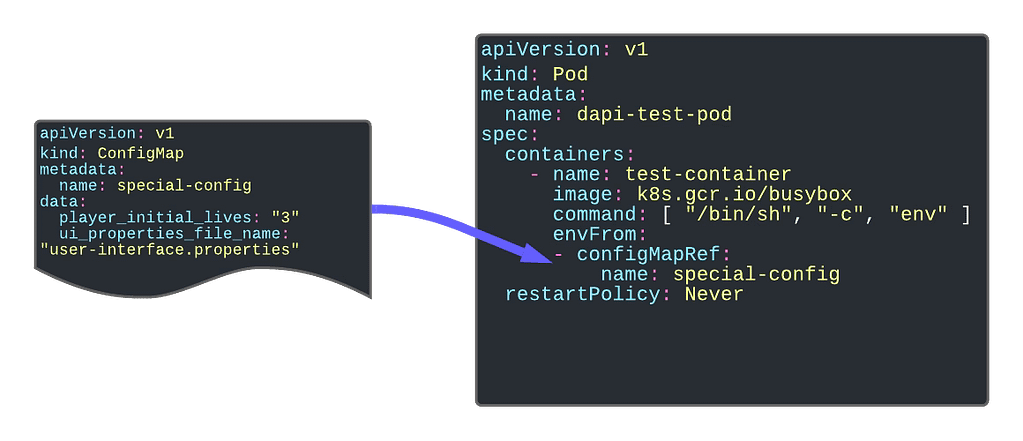
The first and foremost purpose of the configMap is to provide configuration parameters to your workload. An industrialized way to remove the need for env variables is to link the environment configuration from your application.

Kubernetes ConfigMaps Explained: Best Practices to Manage Configuration Properly

Providing Environment Dependent Files

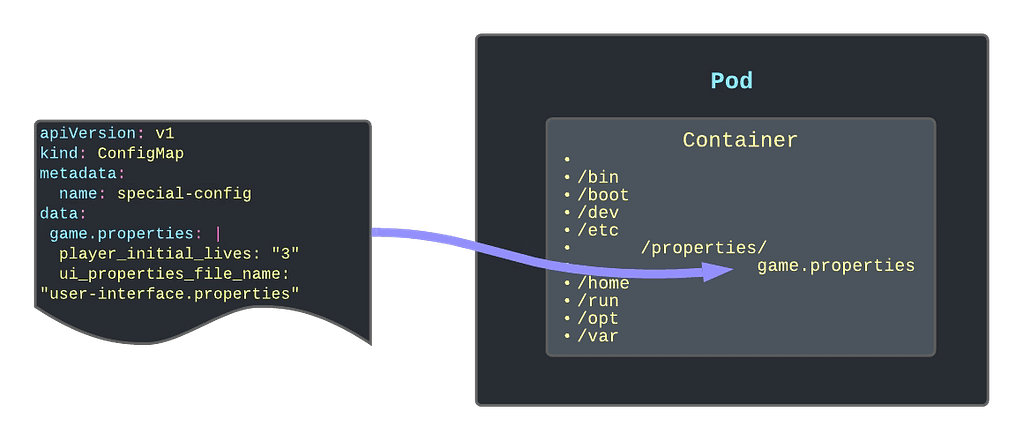
Another significant usage is providing or replacing files inside your containers containing the critical configuration file. One of the primary samples that illustrate this is to give a logging configuration for your app if your app is using the logback library. In this case, you need to provide a logback.xml file, so it knows how to apply your logging configuration.

Other options can be properties. The file needs to be located there or even public-key certificates to handle SSL connections with safelisted servers only.

Kubernetes ConfigMaps Explained: Best Practices to Manage Configuration Properly

Read-Only Folders

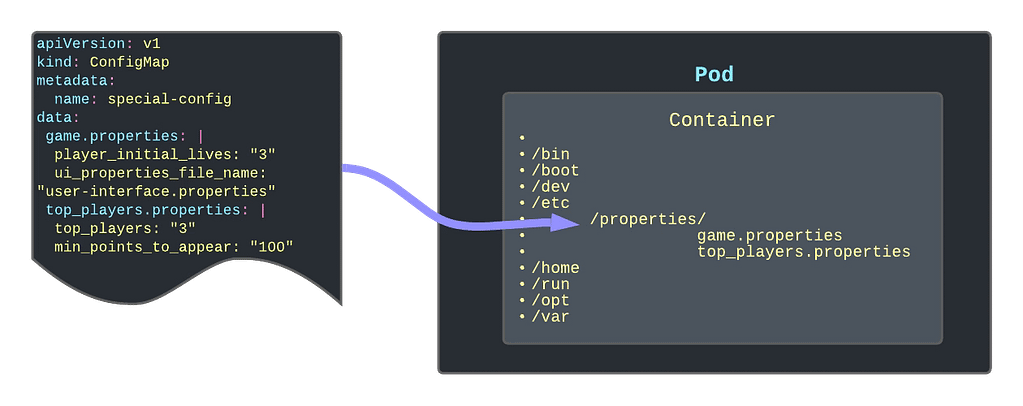
Another option is to use the ConfigMap as a read-only folder to provide an immutable way to link information to the container. One use-case of this can be Grafana Dashboards that you are adding to your Grafana pod (if you are not using the Grafana operator)

Kubernetes ConfigMaps Explained: Best Practices to Manage Configuration Properly

Different ways to create a ConfigMap

You have several ways to create a ConfigMap using the interactive mode that simplifies its creation. Here are the ones that I use the most:

Create a configMap to host key-value pairs for configuration purposes

kubectl create configMap name  --from-literal=key=value

Create a configMap using a Java-like properties file to populate the ConfigMap in a key-value pair.

 kubectl create configMap name --from-env-file=filepath

Create a configMap using a file to be part of the content of the ConfigMap

 kubectl create configMap name --from-file=filepath

 ConfigMap Refresh Lifecycle

ConfigMaps are updated in the same way as any other Kubernetes object, and you can use even the same commands such as kubctl apply to do that. But you need to be careful because one thing is to update the ConfigMap itself and another thing is that the resource using this ConfigMap is updated.

In all the use-cases that we have described here, the content of the ConfigMap depends on the Pod’s lifecycle. That means that the content of the ConfigMap is read on the initialization process of the Pod. So to update the ConfigMap data inside the pod, you will need to restart or bring a new instance of the pod after you have modified the ConfigMap object itself.

📚 Want to dive deeper into Kubernetes? This article is part of our comprehensive Kubernetes Architecture Patterns guide, where you’ll find all fundamental and advanced concepts explained step by step.