Kubernetes Ingress on OpenShift: Routes Explained and When to Use Them

Kubernetes Ingress on OpenShift: Routes Explained and When to Use Them

Introduction
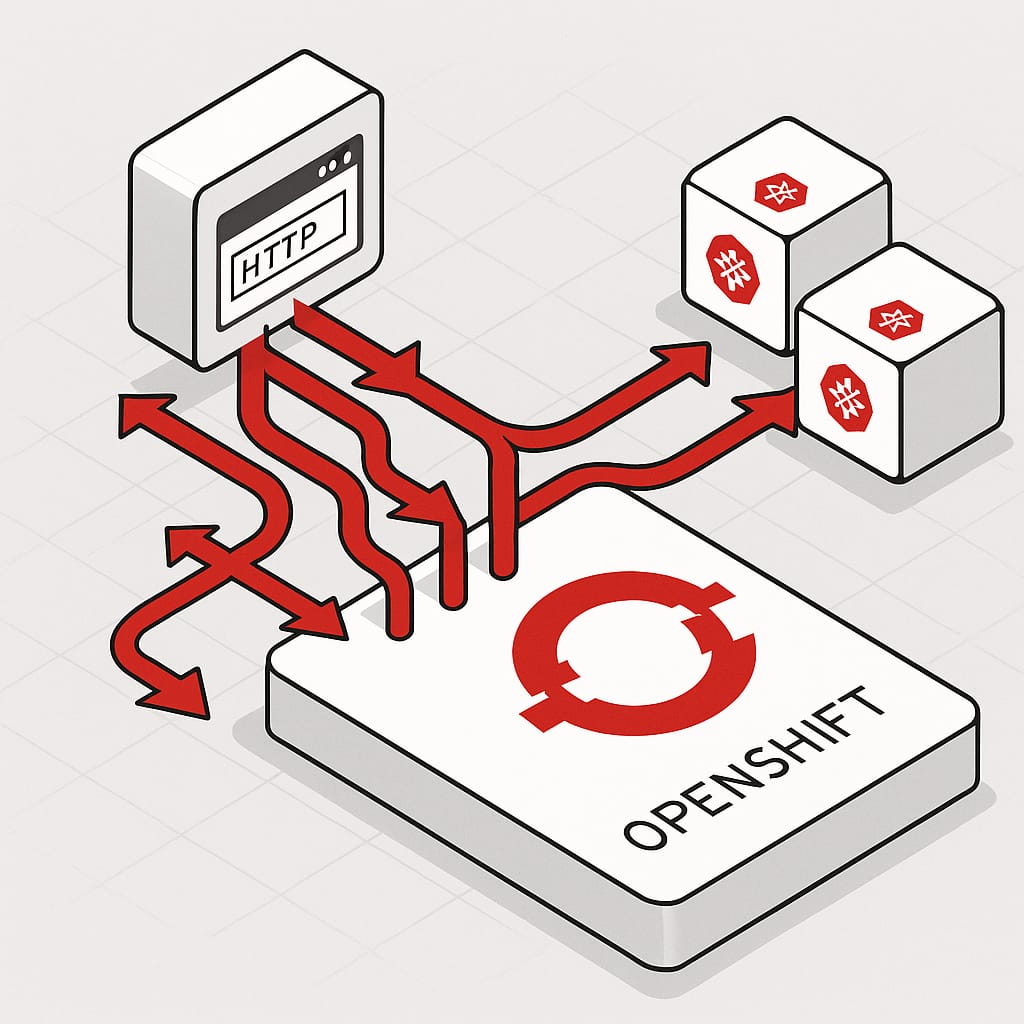
OpenShift, Red Hat’s Kubernetes platform, has its own way of exposing services to external clients. In vanilla Kubernetes, you would typically use an Ingress resource along with an ingress controller to route external traffic to services. OpenShift, however, introduced the concept of a Route and an integrated Router (built on HAProxy) early on, before Kubernetes Ingress even existed. Today, OpenShift supports both Routes and standard Ingress objects, which can sometimes lead to confusion about when to use each and how they relate.

This article explores how OpenShift handles Kubernetes Ingress resources, how they translate to Routes, the limitations of this approach, and guidance on when to use Ingress versus Routes.

OpenShift Routes and the Router: A Quick Overview


OpenShift Routes are OpenShift-specific resources designed to expose services externally. They are served by the OpenShift Router, which is an HAProxy-based proxy running inside the cluster. Routes support advanced features such as:

  • Weighted backends for traffic splitting
  • Sticky sessions (session affinity)
  • Multiple TLS termination modes (edge, passthrough, re-encrypt)
  • Wildcard subdomains
  • Custom certificates and SNI
  • Path-based routing

Because Routes are OpenShift-native, the Router understands these features natively and can be configured accordingly. This tight integration enables powerful and flexible routing capabilities tailored to OpenShift environments.

Using Kubernetes Ingress in OpenShift (Default Behavior)


Starting with OpenShift Container Platform (OCP) 3.10, Kubernetes Ingress resources are supported. When you create an Ingress, OpenShift automatically translates it into an equivalent Route behind the scenes. This means you can use standard Kubernetes Ingress manifests, and OpenShift will handle exposing your services externally by creating Routes accordingly.

Example: Kubernetes Ingress and Resulting Route

Here is a simple Ingress manifest:

apiVersion: networking.k8s.io/v1
kind: Ingress
metadata:
  name: example-ingress
  annotations:
    nginx.ingress.kubernetes.io/rewrite-target: /
spec:
  rules:
  - host: www.example.com
    http:
      paths:
      - path: /testpath
        pathType: Prefix
        backend:
          service:
            name: test-service
            port:
              number: 80

OpenShift will create a Route similar to:

apiVersion: route.openshift.io/v1
kind: Route
metadata:
  name: example-route
spec:
  host: www.example.com
  path: /testpath
  to:
    kind: Service
    name: test-service
    weight: 100
  port:
    targetPort: 80
  tls:
    termination: edge

This automatic translation simplifies migration and supports basic use cases without requiring Route-specific manifests.

Tuning Behavior with Annotations (Ingress ➝ Route)

When you use Ingress on OpenShift, only OpenShift-aware annotations are honored during the Ingress ➝ Route translation. Controller-specific annotations for other ingress controllers (e.g., nginx.ingress.kubernetes.io/*) are ignored by the OpenShift Router. The following annotations are commonly used and supported by the OpenShift router to tweak the generated Route:

Purpose Annotation Typical Values Effect on Generated Route
TLS termination route.openshift.io/termination edge · reencrypt · passthrough Sets Route spec.tls.termination to the chosen mode.
HTTP→HTTPS redirect (edge) route.openshift.io/insecureEdgeTerminationPolicy Redirect · Allow · None Controls spec.tls.insecureEdgeTerminationPolicy (commonly Redirect).
Backend load-balancing haproxy.router.openshift.io/balance roundrobin · leastconn · source Sets HAProxy balancing algorithm for the Route.
Per-route timeout haproxy.router.openshift.io/timeout duration like 60s, 5m Configures HAProxy timeout for requests on that Route.
HSTS header haproxy.router.openshift.io/hsts_header e.g. max-age=31536000;includeSubDomains;preload Injects HSTS header on responses (edge/re-encrypt).

Note: Advanced features like weighted backends/canary or wildcard hosts are not expressible via standard Ingress. Use a Route directly for those.

Example: Ingress with OpenShift router annotations

apiVersion: networking.k8s.io/v1
kind: Ingress
metadata:
  name: example-ingress-https
  annotations:
    route.openshift.io/termination: edge
    route.openshift.io/insecureEdgeTerminationPolicy: Redirect
    haproxy.router.openshift.io/balance: leastconn
    haproxy.router.openshift.io/timeout: 60s
    haproxy.router.openshift.io/hsts_header: max-age=31536000;includeSubDomains;preload
spec:
  rules:
  - host: www.example.com
    http:
      paths:
      - path: /
        pathType: Prefix
        backend:
          service:
            name: test-service
            port:
              number: 80

This Ingress will be realized as a Route with edge TLS and an automatic HTTP→HTTPS redirect, using least connections balancing and a 60s route timeout. The HSTS header will be added by the router on HTTPS responses.

Limitations of Using Ingress to Generate Routes
While convenient, using Ingress to generate Routes has limitations:

  • Missing advanced features: Weighted backends and sticky sessions require Route-specific annotations and are not supported via Ingress.
  • TLS passthrough and re-encrypt modes: These require OpenShift-specific annotations on Routes and are not supported through standard Ingress.
  • Ingress without host: An Ingress without a hostname will not create a Route; Routes require a host.
  • Wildcard hosts: Wildcard hosts (e.g., *.example.com) are only supported via Routes, not Ingress.
  • Annotation compatibility: Some OpenShift Route annotations do not have equivalents in Ingress, leading to configuration gaps.
  • Protocol support: Ingress supports only HTTP/HTTPS protocols, while Routes can handle non-HTTP protocols with passthrough TLS.
  • Config drift risk: Because Routes created from Ingress are managed by OpenShift, manual edits to the generated Route may be overwritten or cause inconsistencies.

These limitations mean that for advanced routing configurations or OpenShift-specific features, using Routes directly is preferable.

When to Use Ingress vs. When to Use Routes
Choosing between Ingress and Routes depends on your requirements:

  • Use Ingress if:
  • You want portability across Kubernetes platforms.
  • You have existing Ingress manifests and want to minimize changes.
  • Your application uses only basic HTTP or HTTPS routing.
  • You prefer platform-neutral manifests for CI/CD pipelines.
  • Use Routes if:
  • You need advanced routing features like weighted backends, sticky sessions, or multiple TLS termination modes.
  • Your deployment is OpenShift-specific and can leverage OpenShift-native features.
  • You require stability and full support for OpenShift routing capabilities.
  • You need to expose non-HTTP protocols or use TLS passthrough/re-encrypt modes.
  • You want to use wildcard hosts or custom annotations not supported by Ingress.

In many cases, teams use a combination: Ingress for portability and Routes for advanced or OpenShift-specific needs.

Conclusion


On OpenShift, Kubernetes Ingress resources are automatically converted into Routes, enabling basic external service exposure with minimal effort. This allows users to leverage existing Kubernetes manifests and maintain portability. However, for advanced routing scenarios and to fully utilize OpenShift’s powerful Router features, using Routes directly is recommended.

Both Ingress and Routes coexist seamlessly on OpenShift, allowing you to choose the right tool for your application’s requirements.

📚 Want to dive deeper into Kubernetes? This article is part of our comprehensive Kubernetes Architecture Patterns guide, where you’ll find all fundamental and advanced concepts explained step by step.

Enable Access Logs on OpenShift Default Routes (HAProxy Ingress Debugging)

white and gray spiral stairs

Put some brain when a route is not working as expected, or your consumers are not able to reach the service

We all know that Openshift is an outstanding Kubernetes Distribution and one of the most used mainly when talking about private-cloud deployments. Based on the solid reputation of Red Hat Enterprise Linux, Openshift was able to create a solid product that is becoming almost a standard for most enterprises.

It provides a lot of extensions from the Vanilla Kubernetes style, including some of the open-source industry standards such as Prometheus, Thanos, and Grafana for Metrics Monitoring or ELK stack for Logging Aggregation but also including its extensions such as the Openshift Routes.

Openshift Routes was the initial solution before the Ingress concept was a reality inside the standard. Now, it also implements following that pattern to keep it compatible. It is backed by HAProxy, one of the most known reverse-proxy available in the open-source community.

One of the tricky parts by default is knowing how to debug when one of your routes is not working as expected. The way you create routes is so easy that anyone can make it in a few clicks, and if everything works as expected, that’s awesome.

But if it doesn’t, the problems start because, by default, you don’t get any logging about what’s happening. But that’s what we are going to solve here.

First, we will talk a little more about how this is configured. Currently (Openshift 4.8 version), this is implemented, as I said, using HAProxy by default so if you are using other technology as ingresses such as Istio or Nginx, this article is not for you (but don’t forget to leave a comment if a similar kind of article would be of your interest so I can also bring it to the back-log 🙂 )

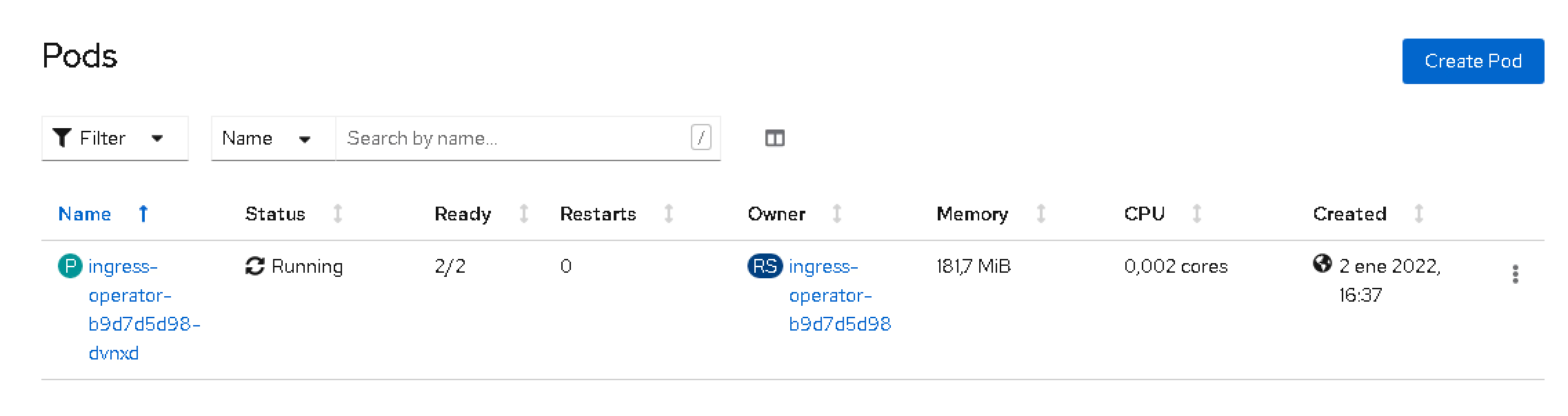
From the implementation perspective, this is implemented using the Operator Framework, so the ingress is deployed as an Operator, and it is available in the openshift-ingress-operator namespace.

Enable Access Logs on OpenShift Default Routes (HAProxy Ingress Debugging)
ingress-operator pods on Openshift ecosystem

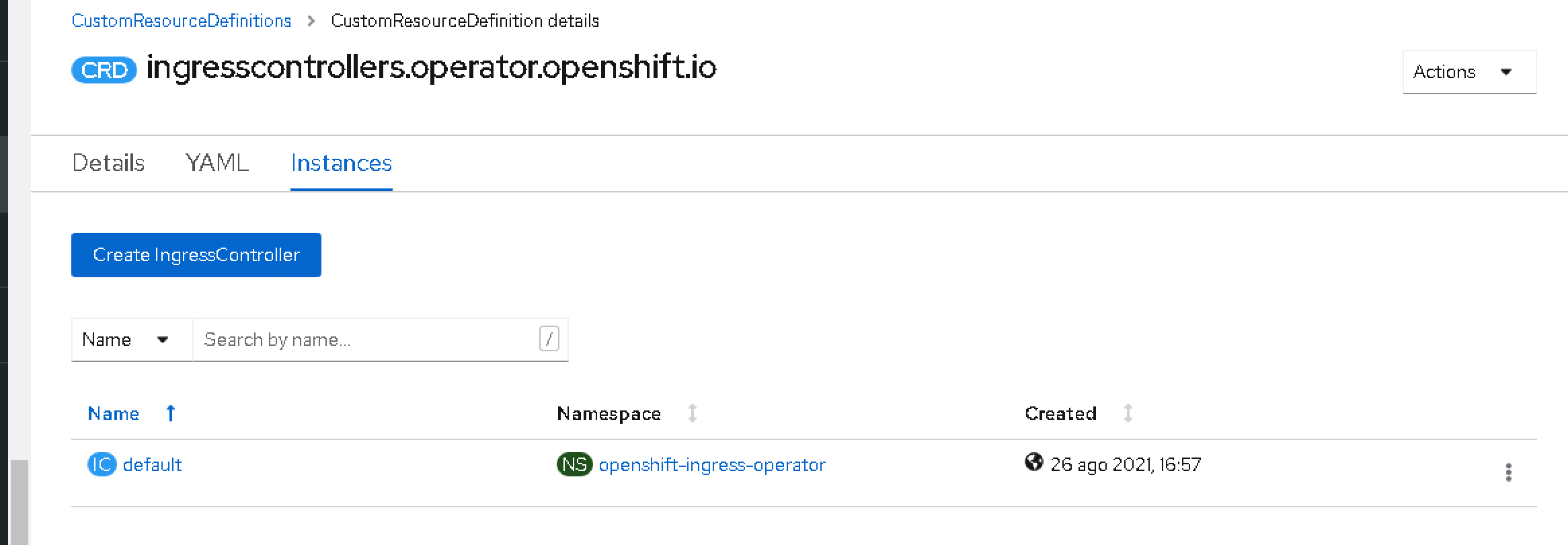
So, as this is an operator, several Custom Resources Definition (CRD) have been installed to work with this, one of the most interesting of this article. This CRD is Ingress Controllers.

Enable Access Logs on OpenShift Default Routes (HAProxy Ingress Debugging)
Ingress instances on Openshift Ecosystem

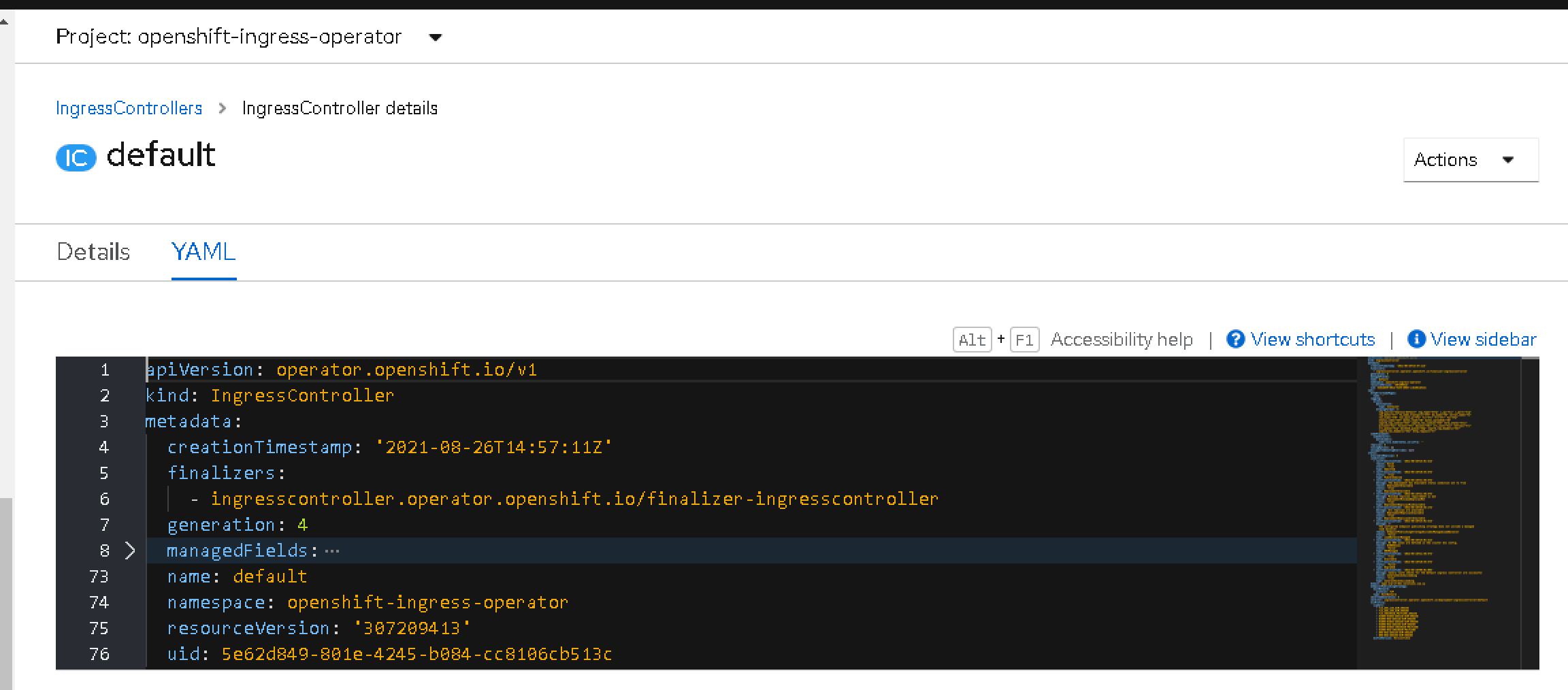
By default, you will only see one instance named default. This is the one that includes the configuration of the ingress that is being deployed, so we need to add here an additional configuration to have also the logs.

Enable Access Logs on OpenShift Default Routes (HAProxy Ingress Debugging)
Ingress controller YAML file

The snippet that we need to that is the one shown below under the spec parameter that starts the definition of the specification of the IngressController itself:

   logging:
    access:
      destination:
        type: Container
      httpLogFormat: >-
        log_source="haproxy-default" log_type="http" c_ip="%ci" c_port="%cp"
        req_date="%tr" fe_name_transport="%ft" be_name="%b" server_name="%s"
        res_time="%TR" tot_wait_q="%Tw" Tc="%Tc" Tr="%Tr" Ta="%Ta"
        status_code="%ST" bytes_read="%B" bytes_uploaded="%U"
        captrd_req_cookie="%CC" captrd_res_cookie="%CS" term_state="%tsc"
        actconn="%ac" feconn="%fc" beconn="%bc" srv_conn="%sc" retries="%rc"
        srv_queue="%sq" backend_queue="%bq" captrd_req_headers="%hr"
        captrd_res_headers="%hs" http_request="%r"
 

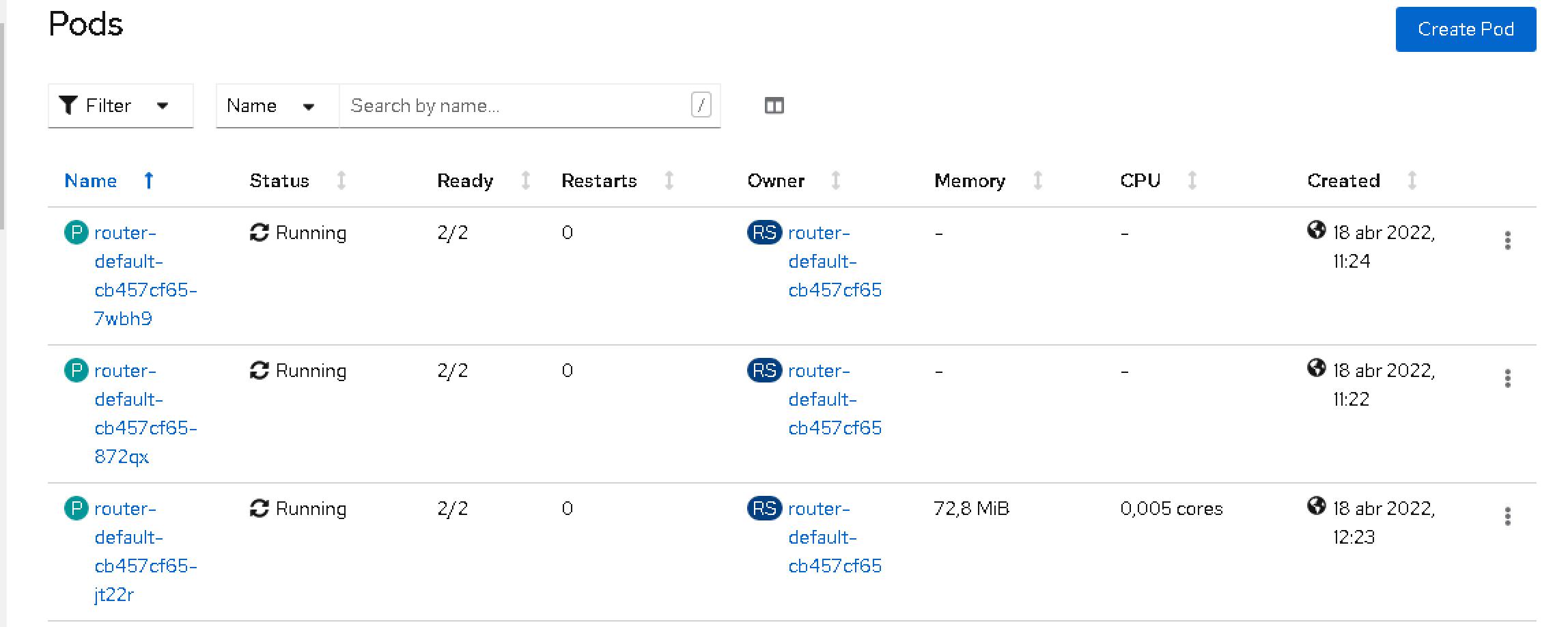
This will make another container deployed on the router pods in the openshift-ingressnamespace following the sidecar pattern named logs.

Enable Access Logs on OpenShift Default Routes (HAProxy Ingress Debugging)
Router pods on Openshift Installation

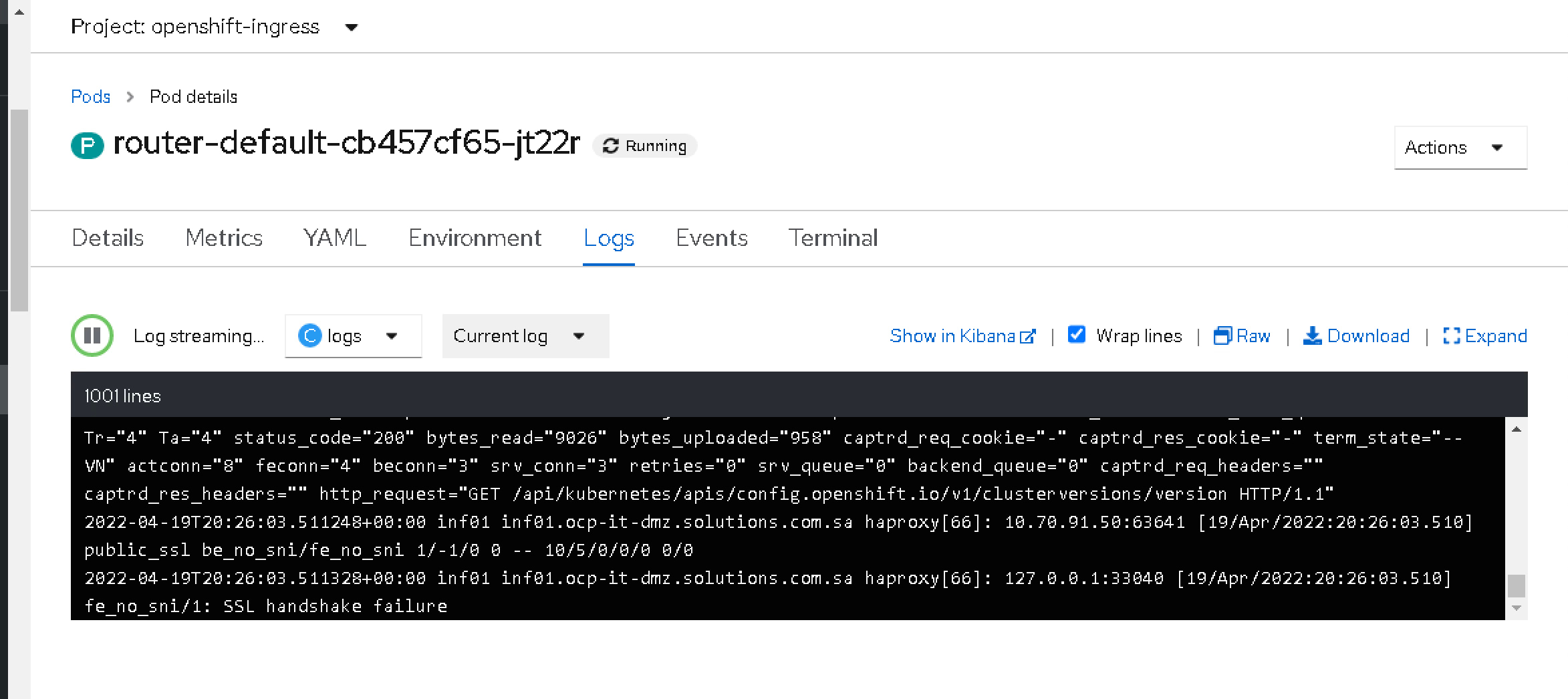
This container will print the logs from the requests reaching the ingress component, so next time your consumer is not able to call your service, you will be able to see the incoming requests with all their metadata and know at least what is doing wrong:

Enable Access Logs on OpenShift Default Routes (HAProxy Ingress Debugging)
Openshift Route Access Logs

As you can see, simple and easy!! If you don’t need it anymore, you can again remove the configuration and save it, and the new version will be rolled out and go back to normal.

📚 Want to dive deeper into Kubernetes? This article is part of our comprehensive Kubernetes Architecture Patterns guide, where you’ll find all fundamental and advanced concepts explained step by step.
Set Up an OpenShift Local Cluster Using CodeReady Containers (CRC Guide)

Set Up an OpenShift Local Cluster Using CodeReady Containers (CRC Guide)

Learn how you can use CodeReady Containers to set up the latest version of Openshift  Local just on your computer.

At this time, we all know that the default deployment mode for any application we would like to launch will be a container-based platform and, especially, it will be a Kubernetes-based platform.

But we already know that there are a lot of different flavors of Kubernetes distributions, I even wrote an article about it that you can find here:

Some of these distributions try to follow as close as they could the Kubernetes experience but others are trying to enhance and increase the capabilities the platform provides.

Because of that sometimes it is important to have a way to really test our development in the target platform without waiting for a server-based developer mode. We know that we have in our own laptop a Kubernetes-based platform to help do the job.

minikube is the most common option to do this and it will provide a very vanilla view of Kubernetes, but something we need a different kind of platform.

Openshift from RedHat is becoming one of the de-facto solutions for private cloud deployments and especially for any company that is not planning to move to a public-cloud managed solution such as EKS, GKE, or AKS. In the past we have a similar project as minikube known as minishift that allow running in their own words:

Minishift is a tool that helps you run OpenShift locally by running a single-node OpenShift cluster inside a VM. You can try out OpenShift or develop with it, day-to-day, on your localhost.

The only problem with minishift is that they only support the 3.x version of Openshift but we are seeing that most of the customers are already upgrading to the 4.x release, so we can think that are a little alone in that duty, but this is far from the truth!

Because we have CodeReady Containers or CRC to help us on that duty.

Code Ready Containers purpose is to provide to you a minimal Openshift cluster optimized for development purposes. Their installation process is very very simple.

It works in a way similar to the previous VM and OVA distribution mode, so you will need to get some binaries to be able to set up this directly from Red Hat using the following direction: https://console.redhat.com/openshift/create/local

You will need to create an account but it is free and in a few steps you will get a big binary about 3–4 GB and your sign code to be able to run the platform and that’s it, in a few minutes you will have at your disposal a complete Openshift Platform ready for you to use.

CodeReadyContainers local installation on your laptop

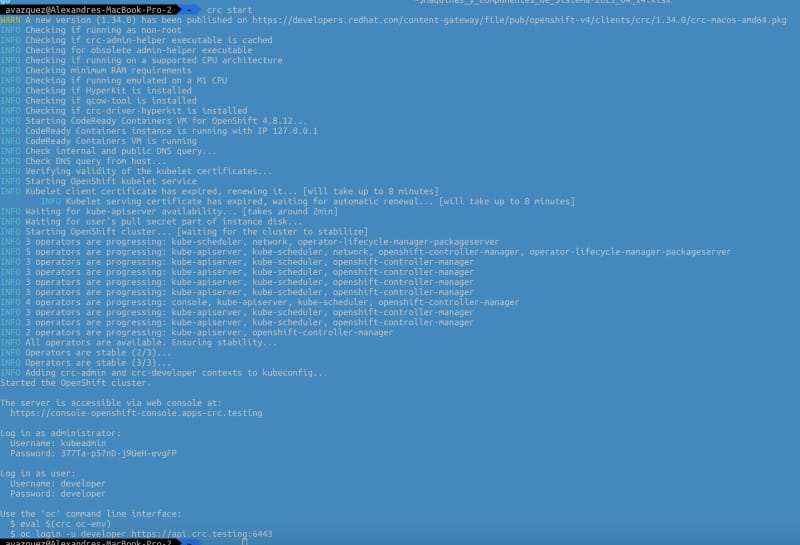
You will be able to switch on and off the platform using the commands crc start and crc stop.

Set Up an OpenShift Local Cluster Using CodeReady Containers (CRC Guide)
Console output of execution of the crc start command

As you can imagine this is only suitable for the local environment and in no way for production deployment and also it has some restrictions that can affect you such as:

  • The CodeReady Containers OpenShift cluster is ephemeral and is not intended for production use.
  • There is no supported upgrade path to newer OpenShift versions. Upgrading the OpenShift version may cause issues that are difficult to reproduce.
  • It uses a single node that behaves as both a master and worker node.
  • It disables the monitoring Operator by default. This disabled Operator causes the corresponding part of the web console to be non-functional.
  • The OpenShift instance runs in a virtual machine. This may cause other differences, particularly with external networking.

I hope you find this useful and that you can use it as part of your deployment process.

📚 Want to dive deeper into Kubernetes? This article is part of our comprehensive Kubernetes Architecture Patterns guide, where you’ll find all fundamental and advanced concepts explained step by step.