Grafana Loki with MinIO: Scalable Log Storage for Kubernetes without S3

Grafana Loki with MinIO: Scalable Log Storage for Kubernetes without S3

Grafana Loki is becoming one of the de-facto standards for log aggregation in Kubernetes workloads nowadays, and today, we are going to show how we can use together Grafana Loki and MinIO. We already have covered on several occasions the capabilities of Grafana Loki that have emerged as the main alternative to the Elasticsearch leadership in the last 5-10 years for log aggregation.

With a different approach, more lightweight, more cloud-native, more focus on the good things that Prometheus has provided but for logs and with the sponsorship of a great company such as Grafana Labs with the dashboard tools as the leader of each day more enormous stack of tools around the observability world.

And also, we already have covered MinIO as an object store that can be deployed anywhere. It’s like having your S3 service on whatever cloud you like or on-prem. So today, we are going to see how both can work together.

Grafana Loki mainly supports three deployment models: monolith, simple-scalable, and distributed. Pretty much everything but monolith has the requirement to have an Object Storage solution to be able to work on a distributed scalable mode. So, if you have your deployment in AWS, you already have covered with S3. Also, Grafana Loki supports most of the Object Storage solutions for the cloud ecosystem of the leading vendors. Still, the problem comes when you would like to rely on Grafana Loki for a private cloud or on-premises installation.

In that case, is where we can rely on MinIO. To be honest, you can use MinIO also in the cloud world to have a more flexible and transparent solution and avoid any lock-in with a cloud vendor. Still, for on-premises, its uses have become mandatory. One of the great features of MinIO is that it implements the S3 API, so pretty much anything that supports S3 will work with MinIO.

In this case, I just need to adapt some values on the helm chart from Loki in the simple-distributed mode as shown below:

 loki:
  storage:
    s3:
      s3: null
      endpoint: http://minio.minio:9000
      region: null
      secretAccessKey: XXXXXXXXXXX
      accessKeyId: XXXXXXXXXX
      s3ForcePathStyle: true
      insecure: true

We’re just pointing to the endpoint from our MinIO tenant, in our case, also deployed on Kubernetes on port 9000. We’re also providing the credentials to connect and finally just showing that needs s3ForcePathSyle: true is required for the endpoint to be transformed to minio.minio:9000/bucket instead to bucket.minio.minio:9000, so it will work better on a Kubernetes ecosystem.

And that’s pretty much it; as soon as you start it, you will begin to see that the buckets are starting to be populated as they will do in case you were using S3, as you can see in the picture below:

MinIO showing buckets and objects from Loki configuration

We already covered the deployment models from MinIO. As shown here, you can use its helm chart or the MinIO operator. But, the integration with Loki it’s even better because the helm charts from Loki already included MinIO as a sub-chart so you can deploy MinIO as part of your Loki deployment based on the configuration you will find on the values.yml as shown below:

 # -------------------------------------
# Configuration for `minio` child chart
# -------------------------------------
minio:
  enabled: false
  accessKey: enterprise-logs
  secretKey: supersecret
  buckets:
    - name: chunks
      policy: none
      purge: false
    - name: ruler
      policy: none
      purge: false
    - name: admin
      policy: none
      purge: false
  persistence:
    size: 5Gi
  resources:
    requests:
      cpu: 100m
      memory: 128Mi

So with a single command, you can have both platforms deployed and configured automatically! I hope this is as useful for you as it was for me when I discovered and did this process.

📚 Want to dive deeper into Kubernetes? This article is part of our comprehensive Kubernetes Architecture Patterns guide, where you’ll find all fundamental and advanced concepts explained step by step.

MinIO Multi-Cloud Object Storage: S3-Compatible Storage for Kubernetes

MinIO Multi-Cloud Object Storage: S3-Compatible Storage for Kubernetes

All The Power of Object Storage In Your Kubernetes Environment

In this post, I would like to bring to you MinIO, a real cloud object storage solution with all the features you can imagine and even some more. You are probably aware of Object Storage from the AWS S3 service raised some years ago and most of the alternatives in the leading public cloud providers such as Google or Azure.

But what about private clouds? Is it something available that can provide all the benefits of object storage, but you don’t need to rely on a single cloud provider. And even more important than that, in the present and future, that all companies are going to be multi cloud do we have at our disposal a tool that provides all these features but doesn’t force us to have a vendor lock-in. Even some software, such as Loki, encourages you to use an object storage solution

The answer is yes! And this is what MinIO is all about, and I just want to use their own words:

“MinIO offers high-performance, S3 compatible object storage. Native to Kubernetes, MinIO is the only object storage suite available on every public cloud, Kubernetes distribution, the private cloud, and the edge. MinIO is software-defined and is 100% open source under GNU AGPL v3.”

So, as I said, everything you can imagine and even more. Let’s focus on some points:

  • Native to Kubernetes: You can deploy it in any Kubernetes distribution of choice, whether this is public or private (or even edge).
  • 100% open source under GNU AGPL v3, so no vendor lock-in.
  • S3 compatible object storage, so it even simplifies the transition for customers with a strong tie with the AWS service.
  • High-Performance is the essential feature.

Sounds great. Let’s try it in our environment! So I’m going to install MinIO in my rancher-desktop environment, and doing that, I am going to use the operator that they have available here:

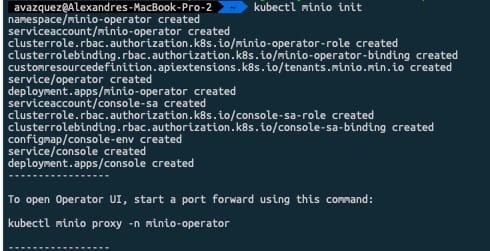
To be able to install, the recommended option is to use krew, the plugin manager we already talked about it in another article. The first thing we need to do is run the following command.

 kubectl minio init

This command will deploy the operator on the cluster as you can see in the picture below:

MinIO Multi-Cloud Object Storage: S3-Compatible Storage for Kubernetes

Once done and all the components are running we can launch the Graphical interfaces that will help us create the storage tenant. To do so we need to run the following command:

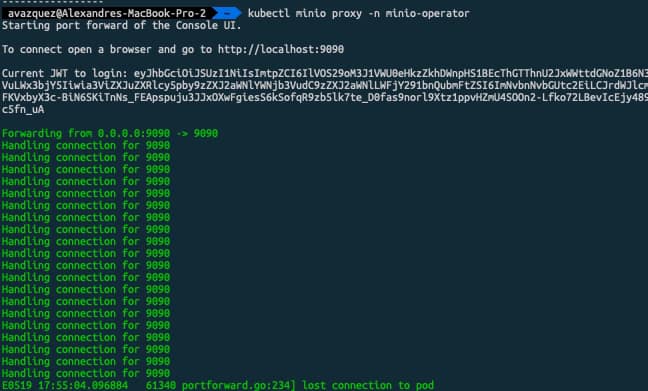
 kubectl minio proxy -n minio-operator

This will expose the internal interface that will help us during that process. We will be provided a JWT token to be able to log into the platform as you can see in the picture below:

MinIO Multi-Cloud Object Storage: S3-Compatible Storage for Kubernetes

Now we need to click on the button that says “Create Tenant” which will provide us a Wizard menu to create our MinIO object storage tenant:

MinIO Multi-Cloud Object Storage: S3-Compatible Storage for Kubernetes

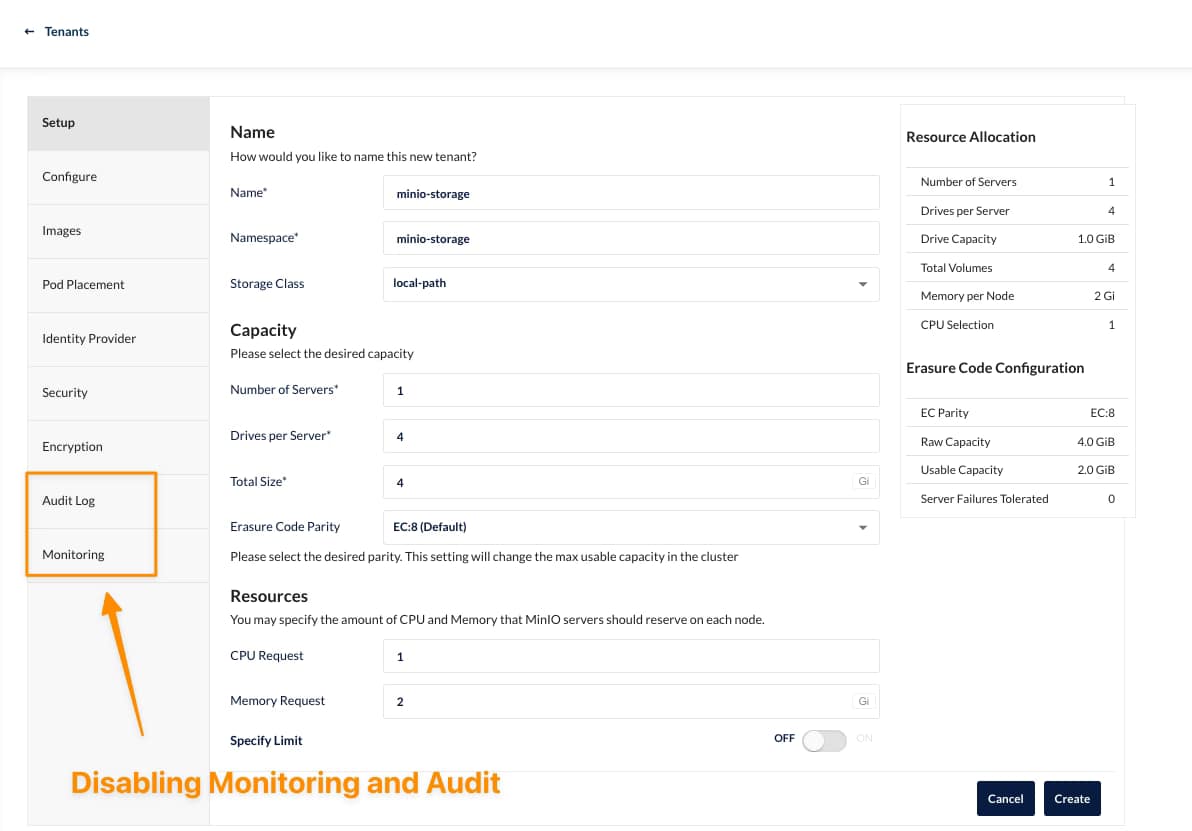
On that wizard we can select several properties depending on our needs, as this is for my rancher desktop, I’ll try to keep the settings at the minimum as you can see here:

MinIO Multi-Cloud Object Storage: S3-Compatible Storage for Kubernetes

It would help if you had the namespace created in advance to be retrieved here. Also, you need to be aware that there can be only one tenant per namespace, so you will need additional namespaces to create other tenants.

As soon as you hit create, you will be provided with an API Key and Secret that you need to store (or download) to be able to use later, and after that, the tenant will start its deployment. After a few minutes, you will have all your components running, as you can see in the picture below:

MinIO Multi-Cloud Object Storage: S3-Compatible Storage for Kubernetes

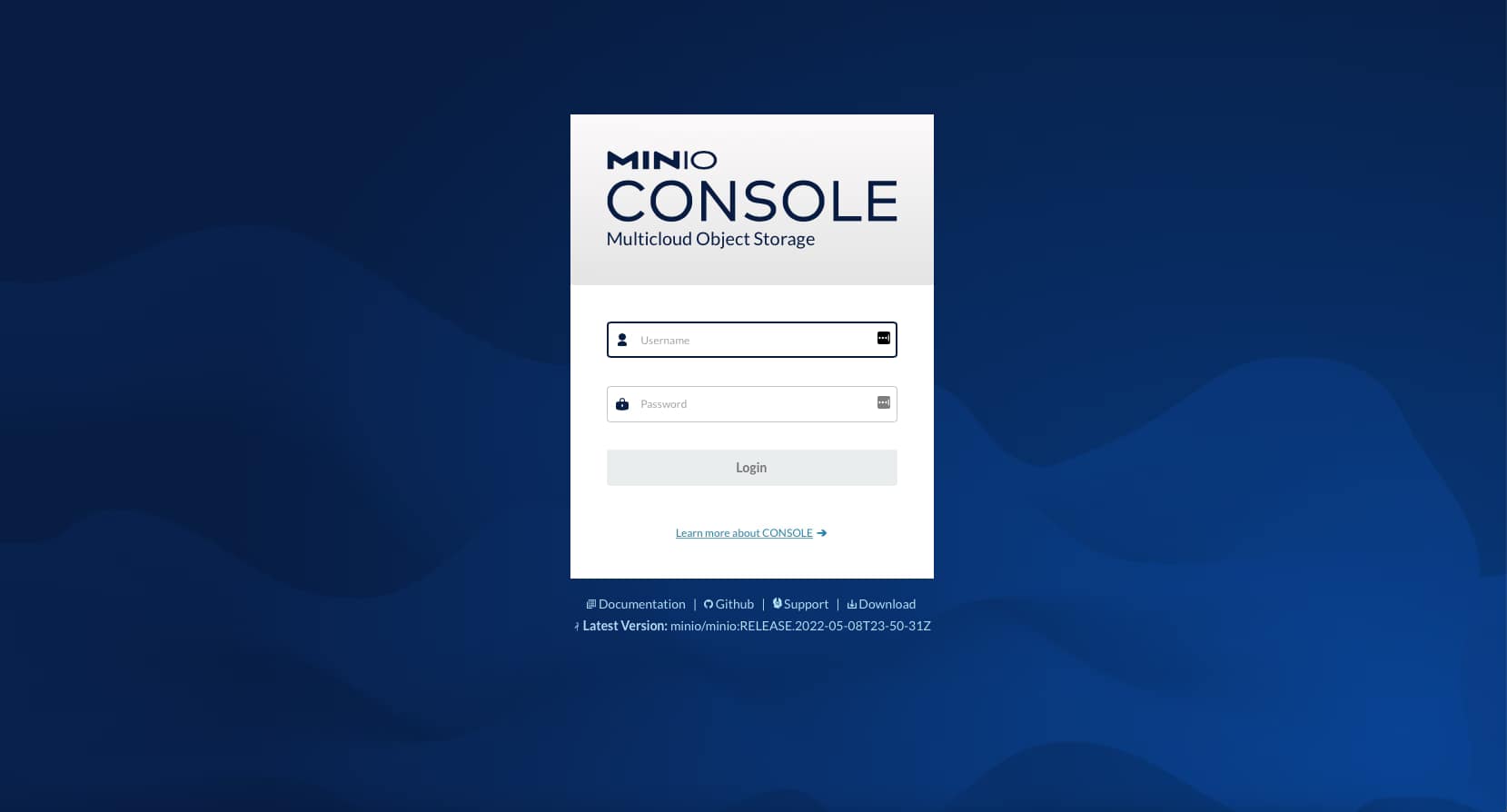
If we go to our console-svc, you will find the following GUI available:

MinIO Multi-Cloud Object Storage: S3-Compatible Storage for Kubernetes

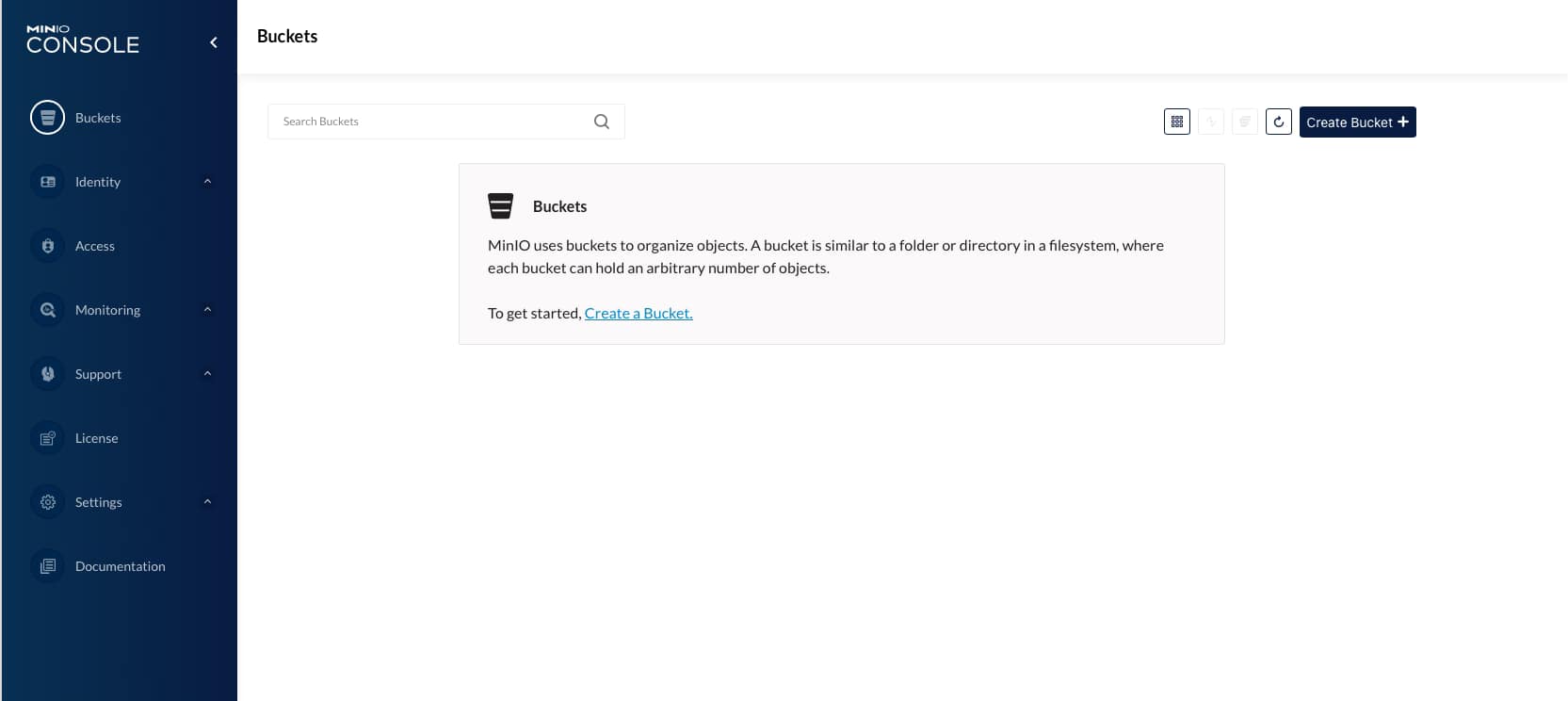
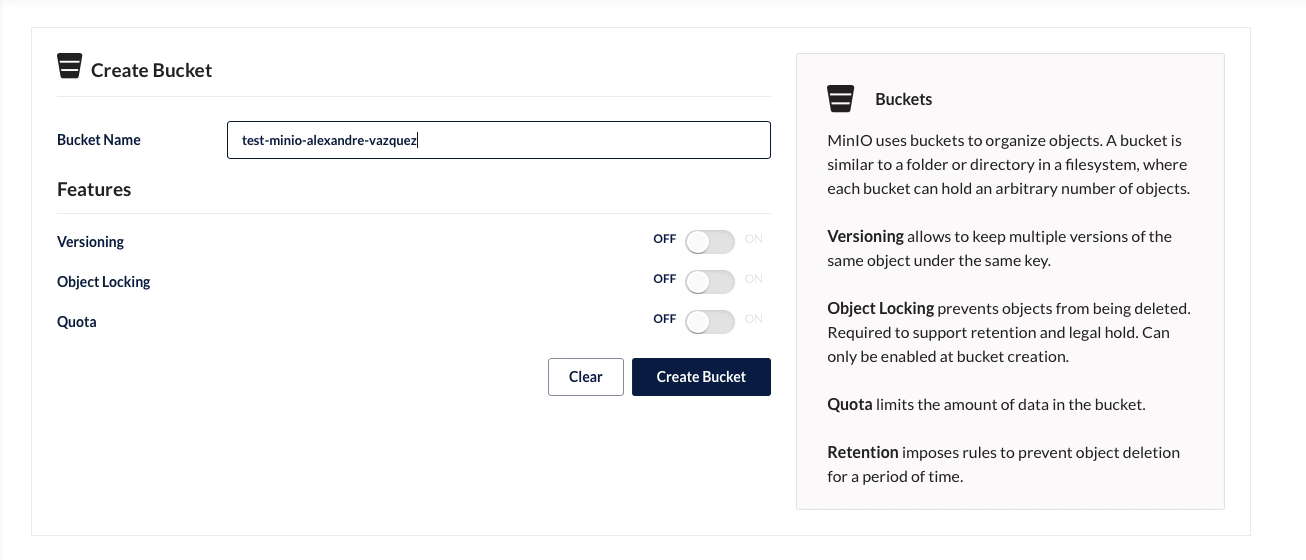
After the credentials are download in the previous step, we will enter the console for our cloud object store and be able to start creating our buckets as you can see in the picture below:

MinIO Multi-Cloud Object Storage: S3-Compatible Storage for Kubernetes

On the screen of creating a bucket, you can see several options, such as Versioning, Quota, and Object Locking, that give a view of the features and capability this solution has

MinIO Multi-Cloud Object Storage: S3-Compatible Storage for Kubernetes

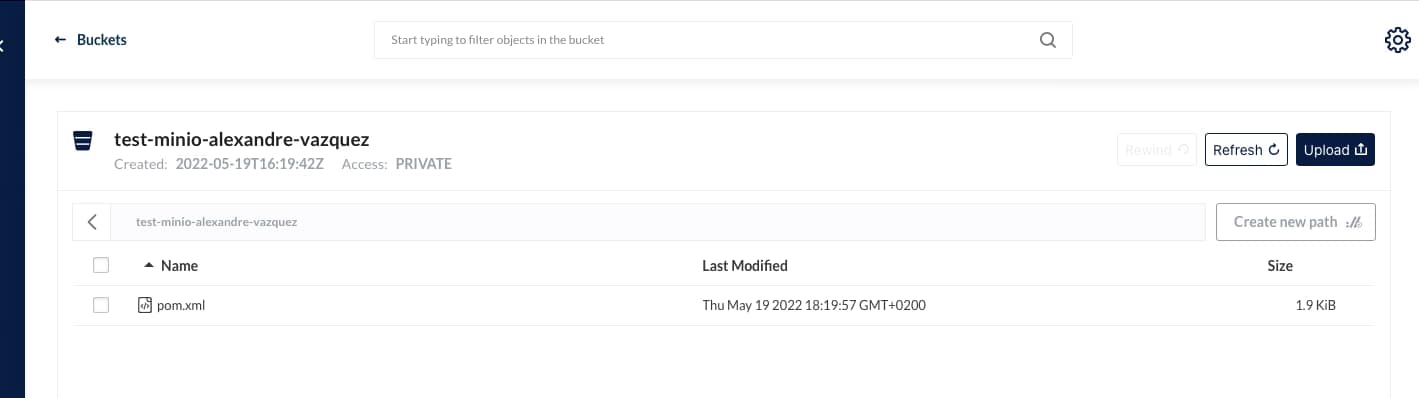
And we can start uploading and downloading objects to this new bucket created:

MinIO Multi-Cloud Object Storage: S3-Compatible Storage for Kubernetes

I hope you can see this as an option for your deployments, especially when you need an Object Storage solution option for private deployments or just as an AWS S3 alternative.

📚 Want to dive deeper into Kubernetes? This article is part of our comprehensive Kubernetes Architecture Patterns guide, where you’ll find all fundamental and advanced concepts explained step by step.